
Overview
Professional pattern-creation tool.
Use all Infinite Painter's tools to create perfectly seamless patterns In Pattern project mode the canvas is repeated in all directions in real time.
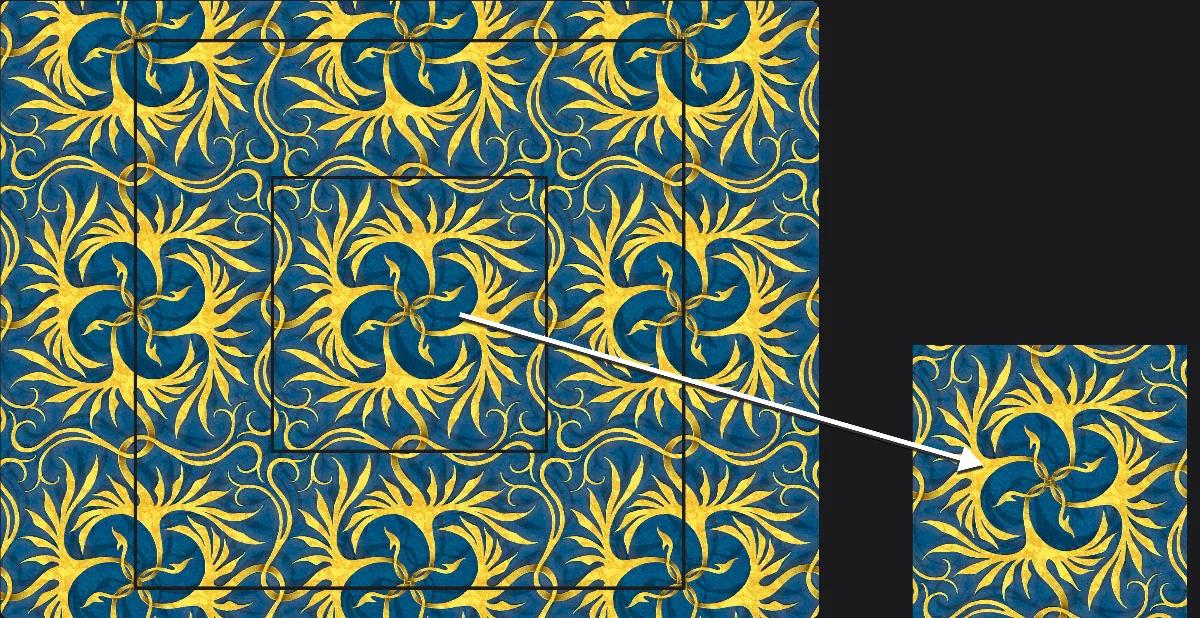
The central rectangle indicates the basic tile. Doesn't have to be a square.
Paint anywhere within the outer rectangle to secure seamless transitions between the tiles.
Paint one tile but watch it repeated in multiple number of copies in real time. Use all the tools, brushes and effects; on multiple layers if necessary.
Export a single tile for use both in Infinite Painter and in any other application.
Workflow
The result is a universal pattern tile
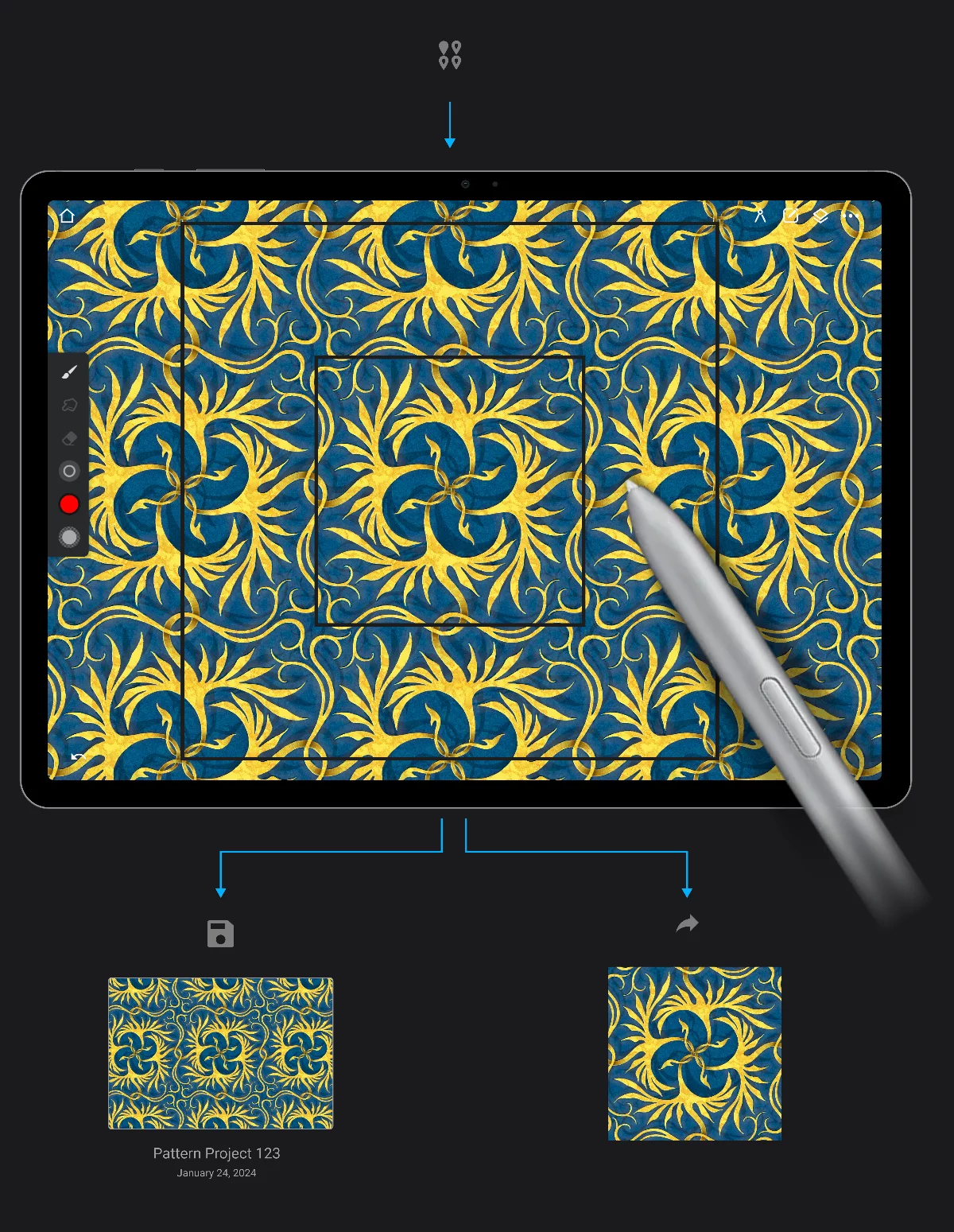
Pattern project opened in the StudioStudioThe Studio is the main workspace in Infinite Painter where you create and edit your artwork.Learn more.
Export the pattern
Pattern Project may be exported only as a single pattern tile. Supported export formats:
PNG
JPG
WebP
The PNG format is recommended. Transparency is supported in the exported tiles.
Note that it is still possible to export the pattern project in PNTR format for data transfer.
Save the project
The pattern projects are automatically saved like the regular projects when you exit the StudioStudioThe Studio is the main workspace in Infinite Painter where you create and edit your artwork.Learn more, but you may save them manually too. More in Saving projects.
Project saved in the internal storage, like a regular project.
Note that the pattern projects look identical to the regular projects. Give your artworks meaningful names to be sure which is which.
The Pattern project cannot be converted to a regular Project (and vice-versa).
Use the exported pattern tiles in Painter or in third-party applications
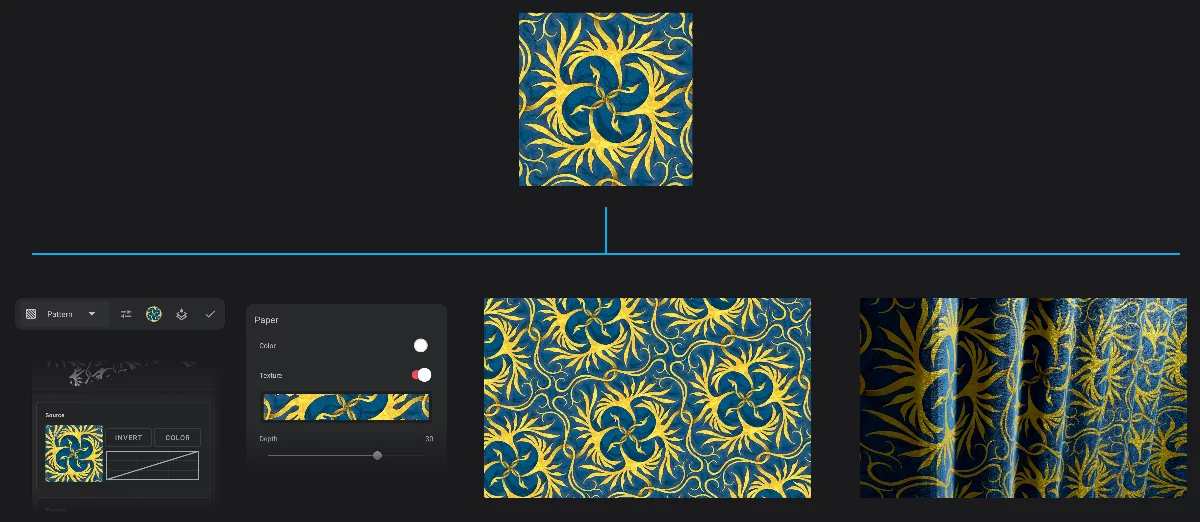
The exported pattern tile (PNG)
Use the pattern tile in Infinite Painter:
Use the pattern in third-party applications:
In 2D graphics
or even in textile design.
In 3D graphics
as material textures.
Patterns created with the Pattern projects are perfectly seamless.
Working with pattern projects
Plan ahead for best results
Pattern projects allow you to create professional-grade seamless patterns, but they require some planning.
Remember that the dimensions of the exported pattern tile will be 1/2 of the dimensions of the canvas. So if you need a 1024 ×1024 px pattern tile, you should set your Pattern project canvas size to 2048 × 2048 px. Learn how to set the canvas dimensions in New Project creator
Project canvas size vs. pattern tile size
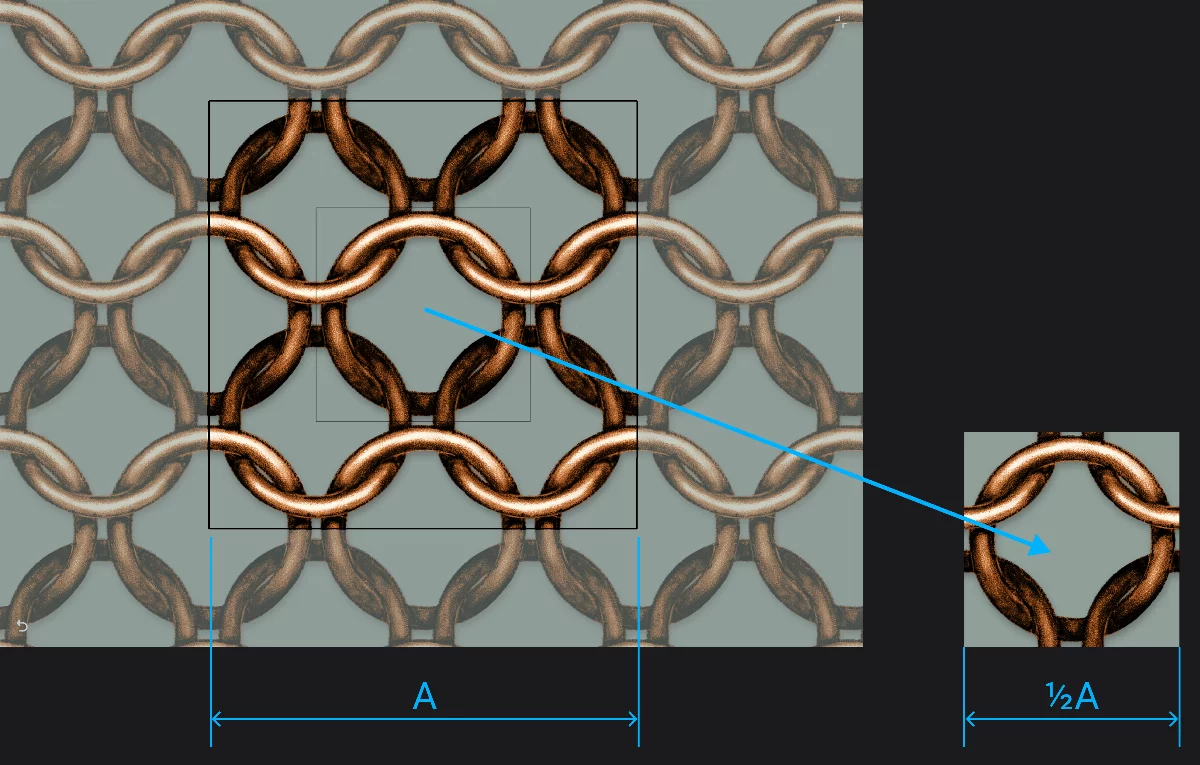
The inner rectangle on the canvas is the “tile frame”
(indicates what will be exported).
The outer rectangle indicates the canvas.
(The area around the outer frame is not the part of the canvas; you cannot paint on it).
Exported pattern tile
Canvas size
Tile size (always 1/2 of the canvas size).
Note that the canvas in Pattern project doesn't have to be square. However most of the third-party applications expect square pattern tiles. Consult the documentation of the target application before designing non-square patterns.
Infinite Painter accepts non-square tiles for all texture-related functions.
You can use most of the Painter’s powerful editing tools in the Pattern projects. Use layers, symmetries, even Pattern tools within the Pattern project.
Import photos, create precise shapes, draw, paint, edit. No limits to your creativity and fun.
Note that some of the tools may not work as expected in the Pattern projects. These are:
Canvas tools (Crop tool, Resize tool, Straighten tool )
Also, the transformationsTransformationA geometric change applied to the active layer or its selected fragment. It may be a simple displacement (move), rotation, scaling or a geometric distortion.Learn more may give unintuitive results.