
Smart cloning mode
Let the program paint.
Smart cloning mode uses advanced algorithms to interpret the source image and create a brand new one.
It may produce infinite number of different results: from impressionist pointillism to precise line-drawings.
Technically, the algorithm analyzes the source layer and creates a flurry of "smart" strokes that paint over the image. These miniature paint strokes adjust to the contours of the original image.
Your participation in the process is limited, but with some experience you can control it.
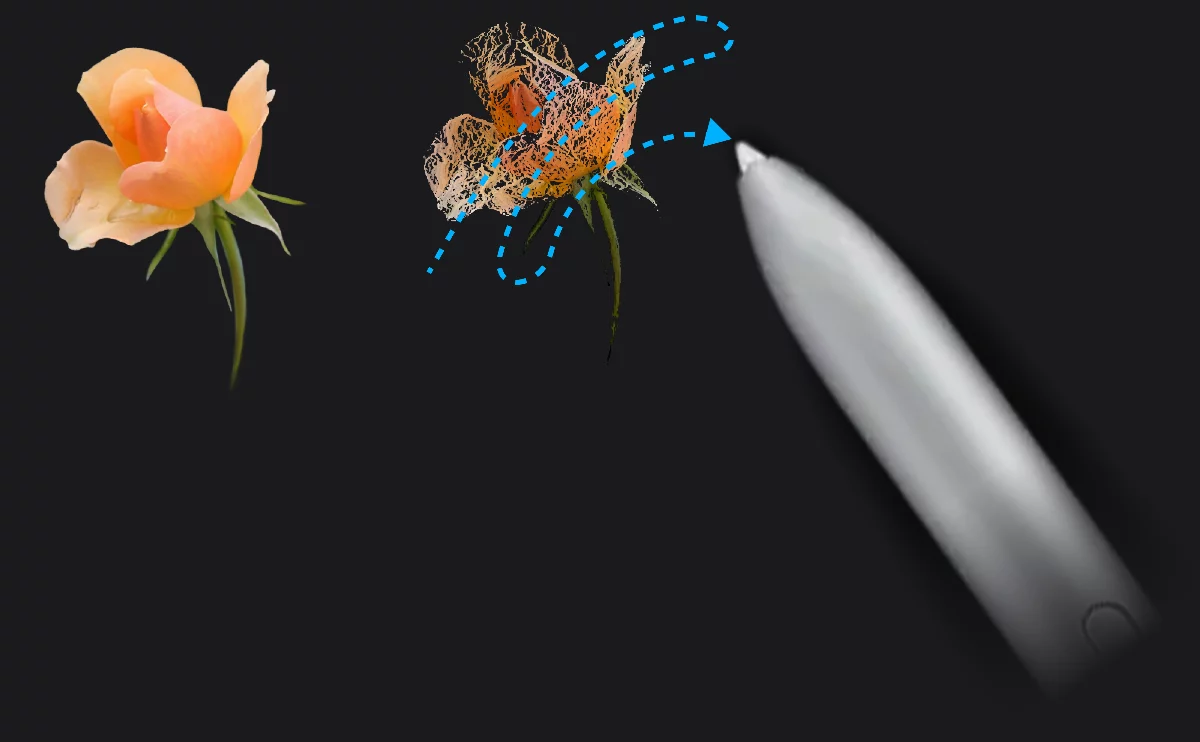
Original (source)
Smart cloning
The cloning algorithm works only when you are moving your brush. By adjusting the length and placement of your strokes you can control the cloning process.
The results are extremely dependent on the brush used, its size and the set of parameters in the Smart cloning options.
Learn more about controls of the Smart clone mode below.
Experiment freely!
Options
Control the style of your AI co-painter.
Clone options for Smart mode
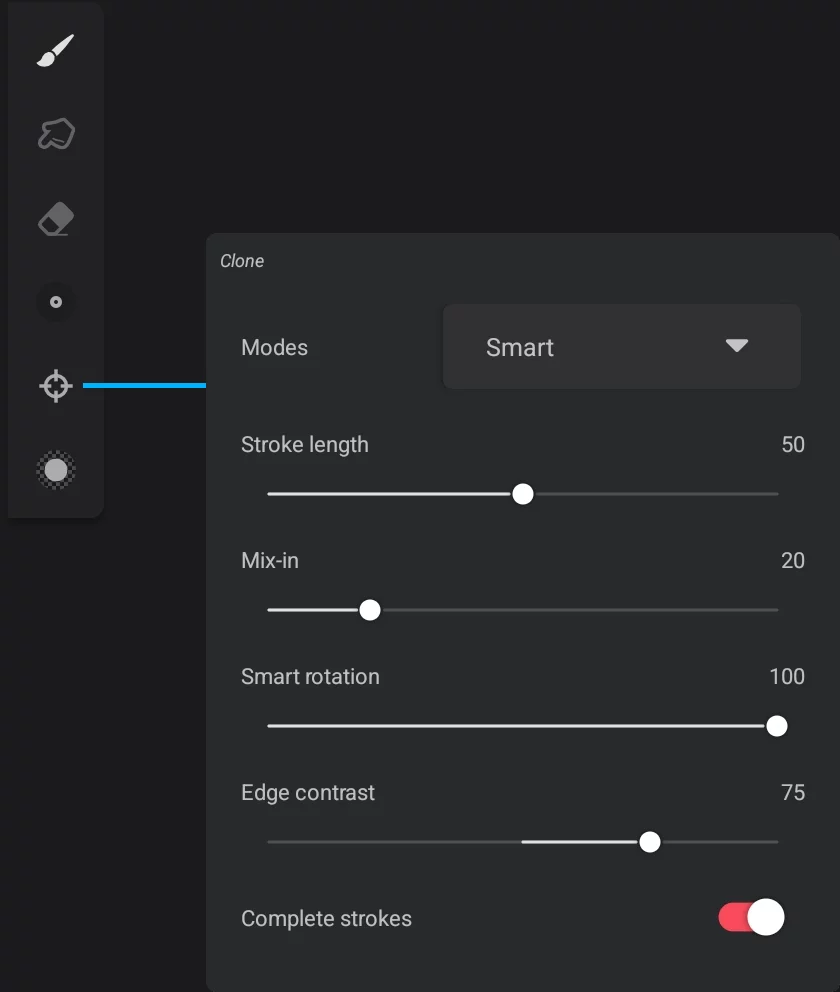
Stroke length
Defines how long a smart stroke has to reach before it respawns. 0 is dabbing.
Mix-in
Defines how fast the brush samples the underlying paint colors. Zero value will create a solid paint stroke, while 100 will change the color of the head at each pass.
Smart rotation
Defines how much the stroke rotates along the contours of the source image.
Edge contrast
Generates more or less contrast when approaching an edge on the source image. This can help bring out the subject material on a source layer.
Complete strokes toggle
If active, it will track ahead and only draw the stroke if it is within a certain length and has ended. This setting creates more painterly results.
Different combinations of parameters may produce completely different results even with using exactly same brush (here Solid Pen, 7 px size)
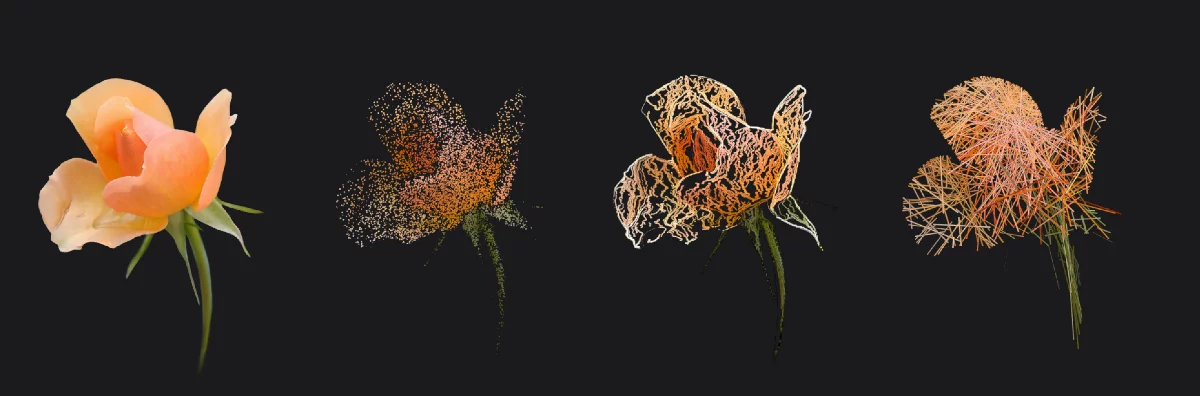
Original
Stroke length: 0
Mix-in: 0
Smart rotation: 0
Edge contrast: -100
Stroke length: 100
Mix-in: 100
Smart rotation: 100
Edge contrast: 100
Stroke length: 50
Mix-in: 0
Smart rotation: 0
Edge contrast: -100