
Using selections
On this page
Overview
Professional set of tools
 Lasso
Lasso
Quick, freehand selection; see Lasso.
 Rectangle
Precise, rectangular area; see Rectangle and Circle selection.
 Circle
Circle or ellipse shape; see Rectangle and Circle selection.
 Poly
Poly
Polyline lasso; see Polyline and Path selections.
 Path
Path
Precise and editable Bézier path tool; see Polyline and Path selections.
 Wand
Wand
Selects a closed area; see Wand tool.
 Brush
Brush
Paint your selection with any brush; see Brush selection tool.
 Color range
Select similar colors everywhere; see Color range selection tool.
 Layer
Layer
Select the entire layer's non-transparent pixels; see Selecting layers.
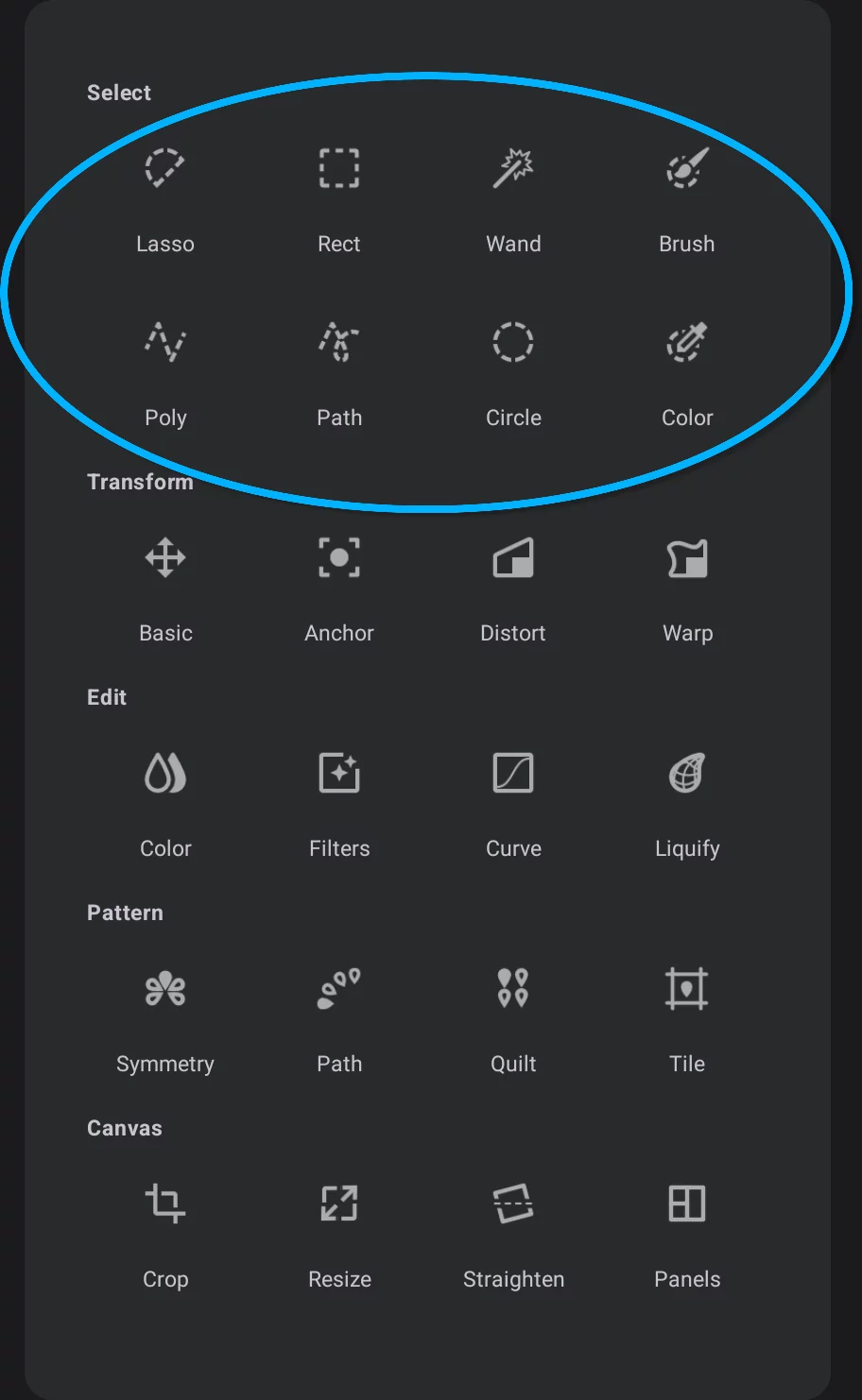
Selection tools — access map
Impressive toolset.

Selection tools in the Editing Tools menu
Selecting layers
You can select non-transparent pixels from any single layer, a group of layers or from a layer mask. Learn more in the Using layers chapter.
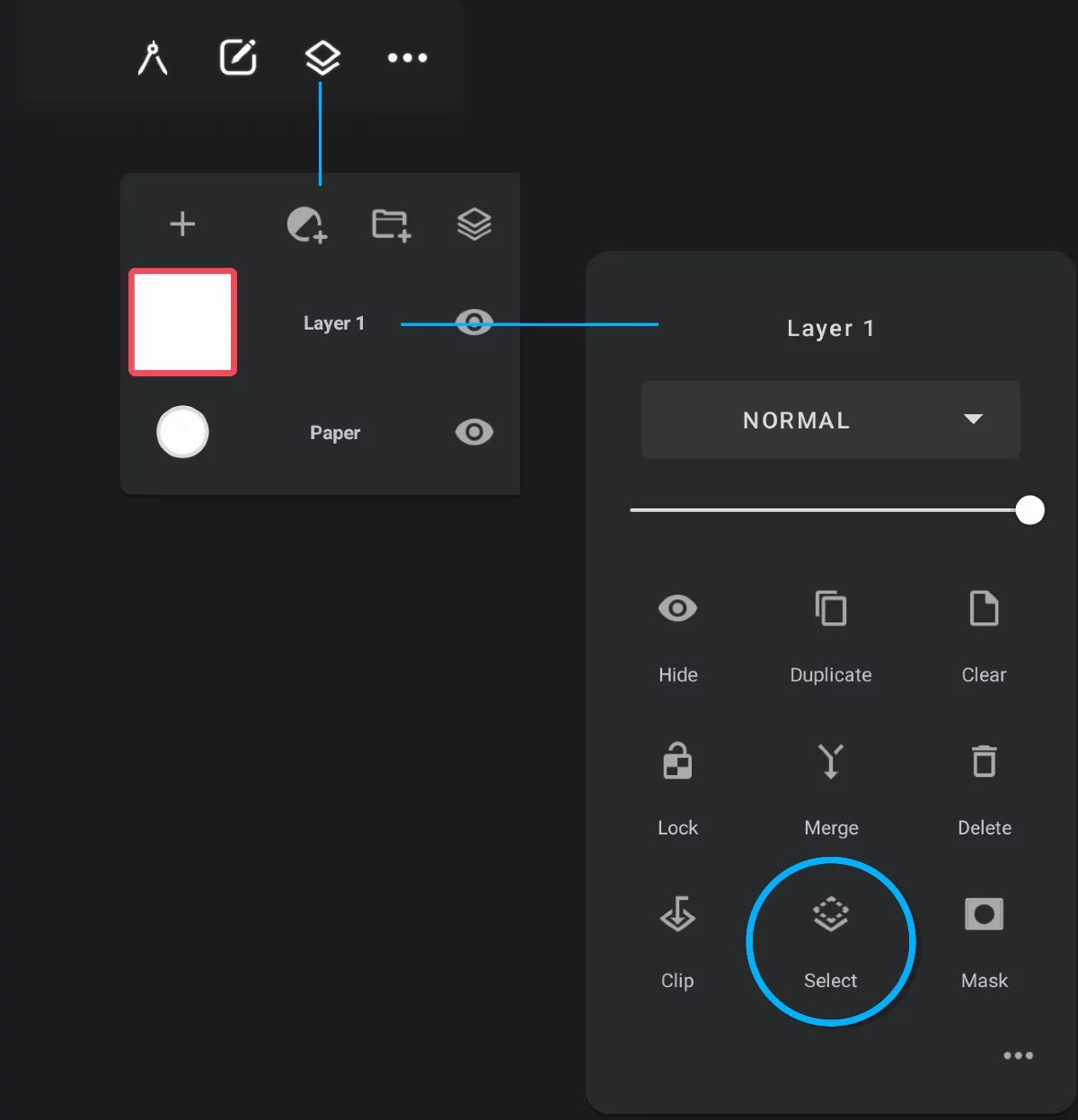
1
Layer panel
2
Layer options pop-up