
Clipping masks
Mask a layer with another layer.
Layer clipping is masking a layer with the transparencyTransparencyTransparency is the property of an image layer that allows the background or other layers behind it to be partially or fully visible through it. Transparency is defined by the alpha channel in the RGBA color coding. of the layer below. The masking layer is a regular, full-color layerLayerA layer is a separate RGBA image (usually) of the size of the canvas. Layers can be stacked on top of each other. and it may be partially visible below the clipped (masked) layer.
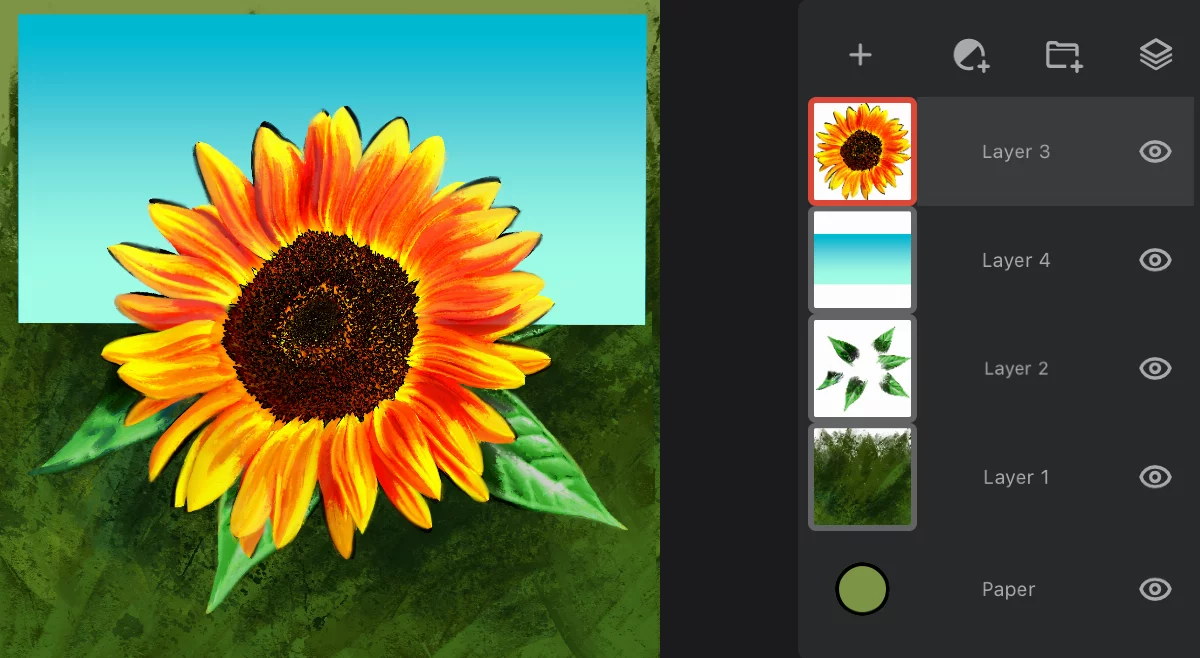
Select (activate) the layer to be clipped (masked). Tap on the layer’s name to open the options pop-up:
Layer options panel
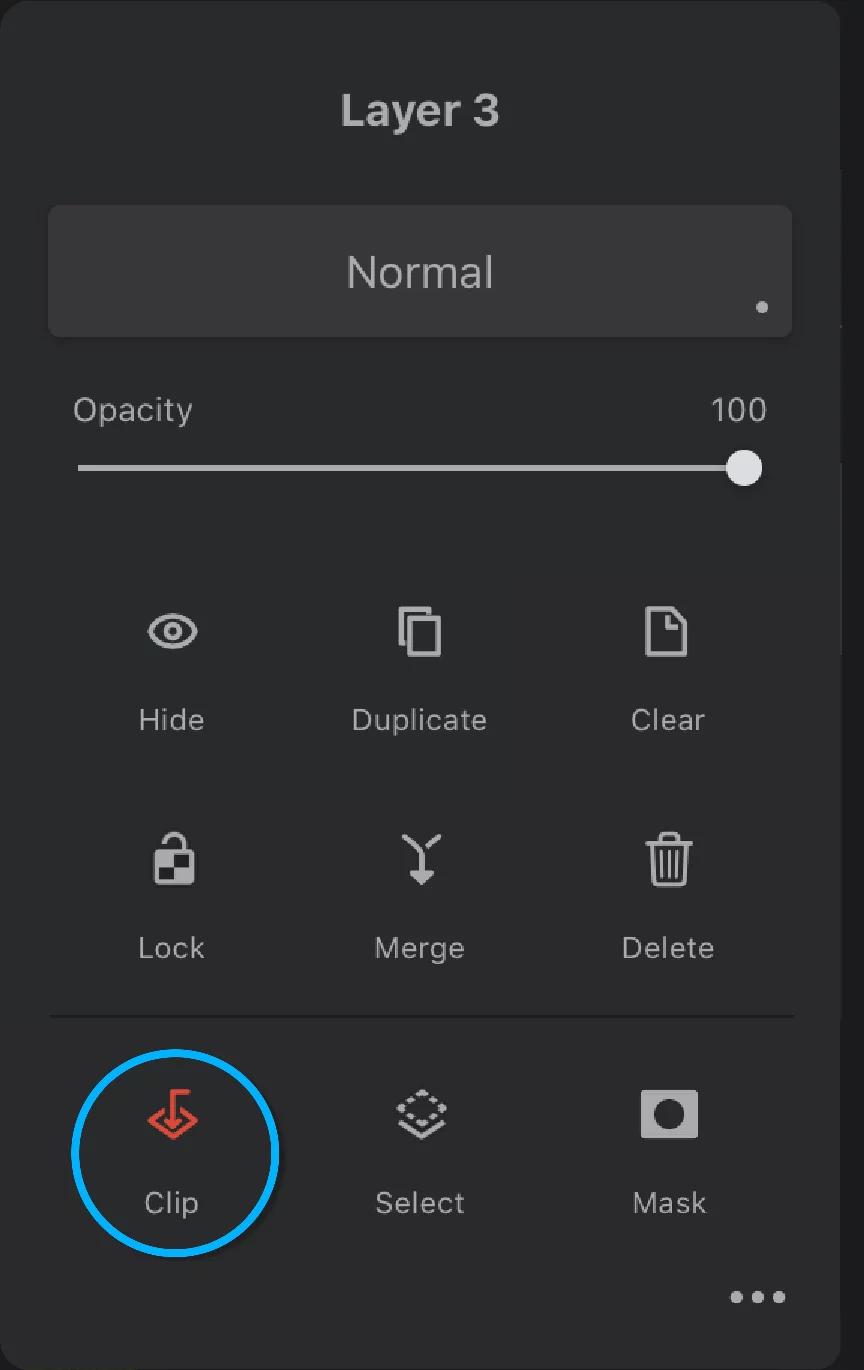

Tap the “Clip” icon to clip the current layer with the layer below.
Layer 3 clipped to Layer 2
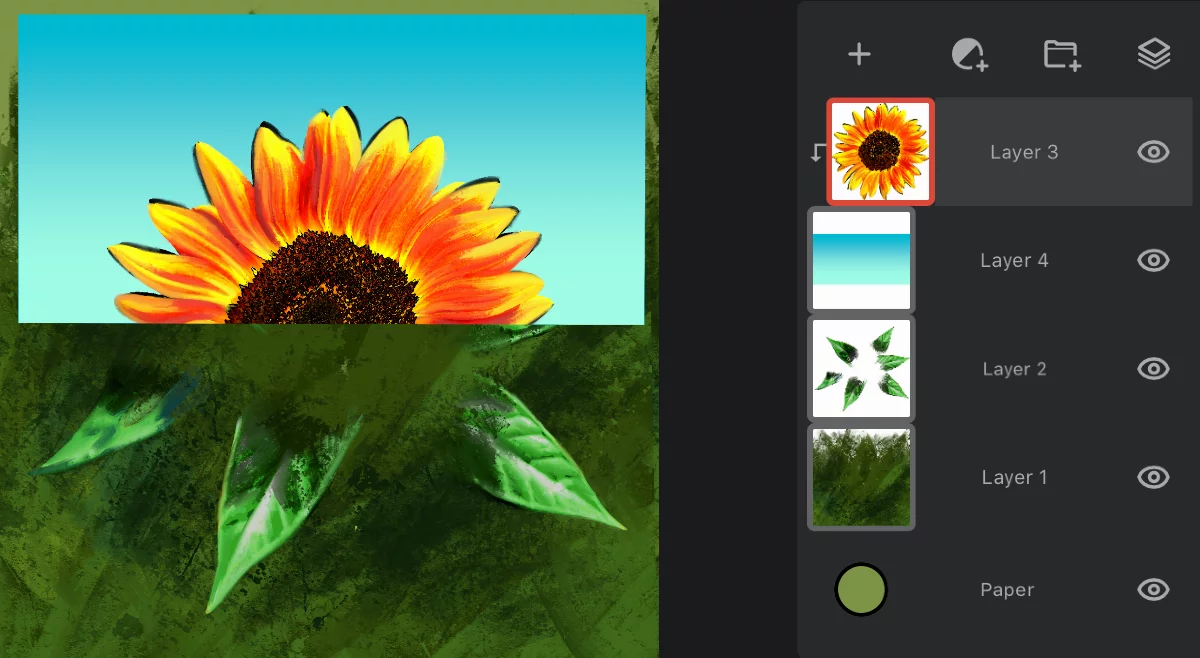

The contents (clipped) layer
Note the clipping indicator (downward arrow).
The masking layer.
(Do not confuse it with "layer maskLayer mask
An 8-bit (grayscale) image mask attached to a layer. The white areas in the mask reveal the pixels of the host layer, the black areas mask out the layer (yield transparency).Learn more” proper).
Note that, in layer clipping, the alpha channelAlpha channelIn the RGBA color coding, the Alpha channel defines transparency of the image. Each pixel has defined opacity (usually in 0–255 scale). (opacity) of the lower layer is used to mask out the upper layer.
Opaque areas in the masking layer reveal the contents of the upper layer; transparent areas remain transparent.

Layer clipping in Infinite Painter works exactly like in Adobe Photoshop® and in other bitmap applications.
Layer clipping is of course reversible
Just tap the “Clip” icon again to un-clip.
Note that in clipping, the "masking" layer is below the "contents" layer. In the "regular" layer masking the layer maskLayer mask
An 8-bit (grayscale) image mask attached to a layer. The white areas in the mask reveal the pixels of the host layer, the black areas mask out the layer (yield transparency).Learn more is displayed above its layer in the layer list. Learn about layer masks in Layer masking.
You can mix layer clipping with layer masksLayer mask
An 8-bit (grayscale) image mask attached to a layer. The white areas in the mask reveal the pixels of the host layer, the black areas mask out the layer (yield transparency).Learn more if you wish so.
You can clip multiple layers with the same mask layer, and even clip layer groups.
Clipping multiple layers
With or without using groups
You can clip multiple layers with one masking layer
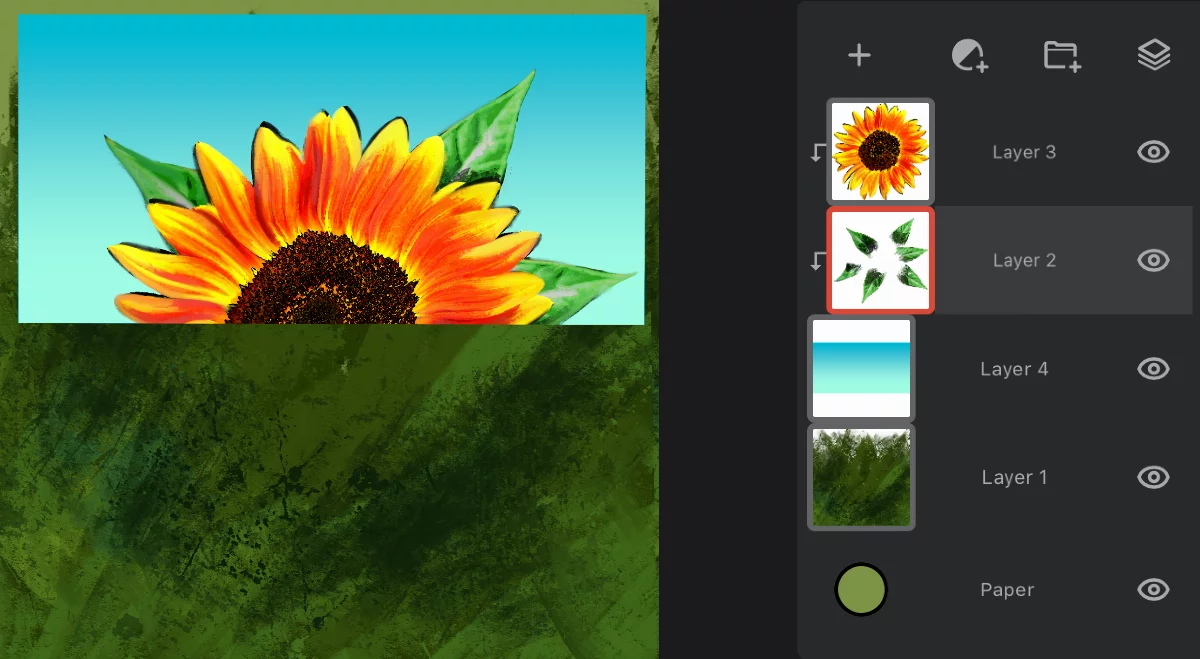
Content layers (not grouped)
The masking layer.
Note that there is always only one masking layer in the clipping "combo”.
You can clip a group of layers with one masking layer
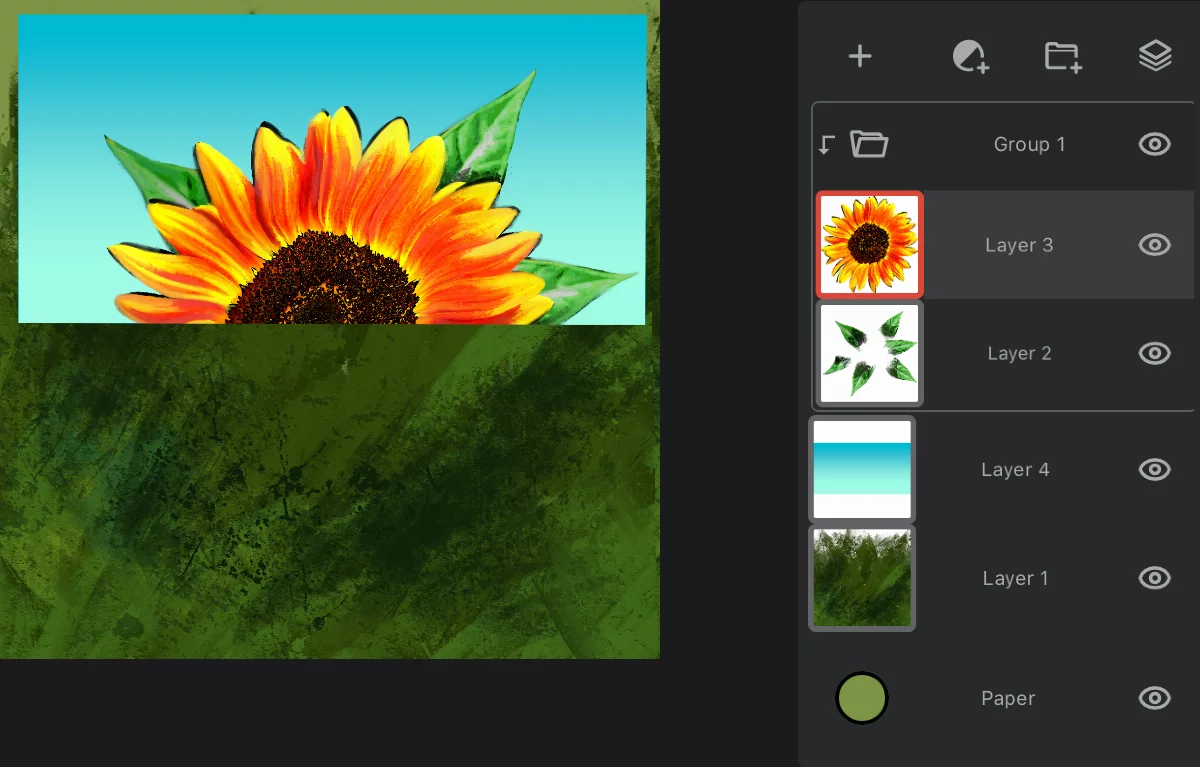
Contents group of layers
Note the clipping indicator near the group icon.
The masking layer.
You can use a layer groupLayer groupA number of layers bound in a temporary unit. Groups (a.k.a. layer folders) can be nested within other groups.Learn more as a clipping mask.
Clipping adjustment layers
Applies the effect to one layer only
You can clip adjustmentAdjustment layerA special, non-editable layer that works as a real-time adjustment or filter for all the underlying layers. There are various types of adjustment and filter layers.Learn more or filter layersFilter layerA special layer that applies a filter to the layers below in the layer stack. The layers below it can be edited with the filter being updated in real time.Learn more as well. This applies the effects to the masking layer only.
Without clipping:
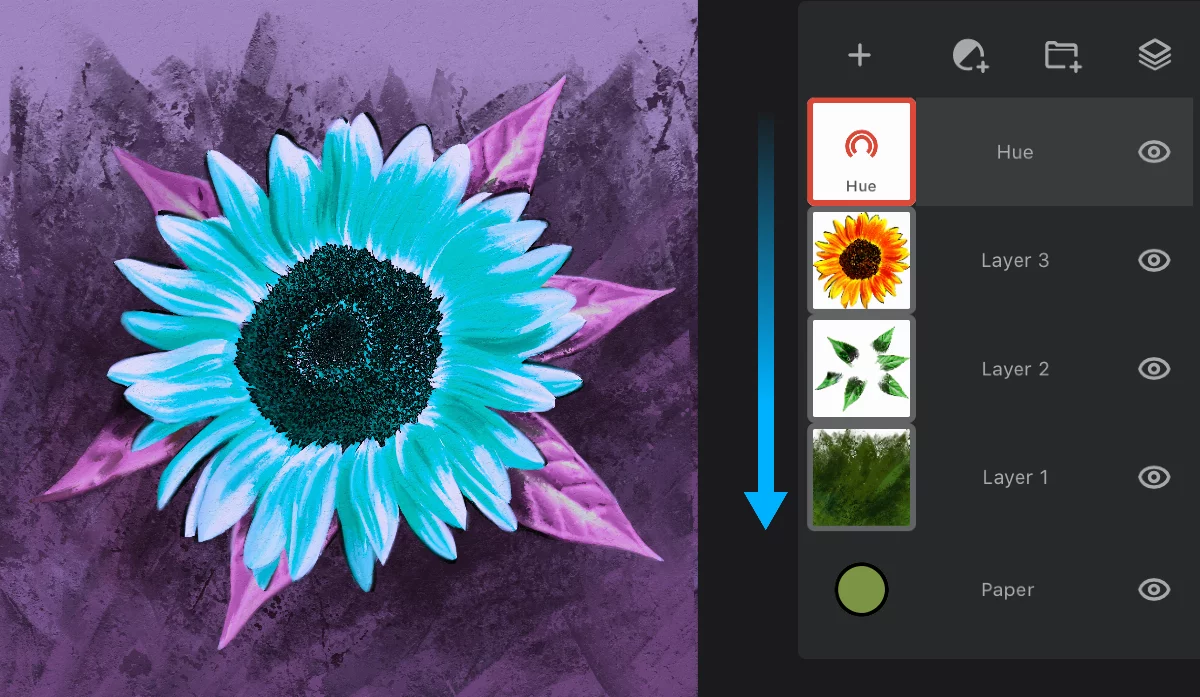
The adjustment layer affects all the layers below.
Hue layer options pop-up
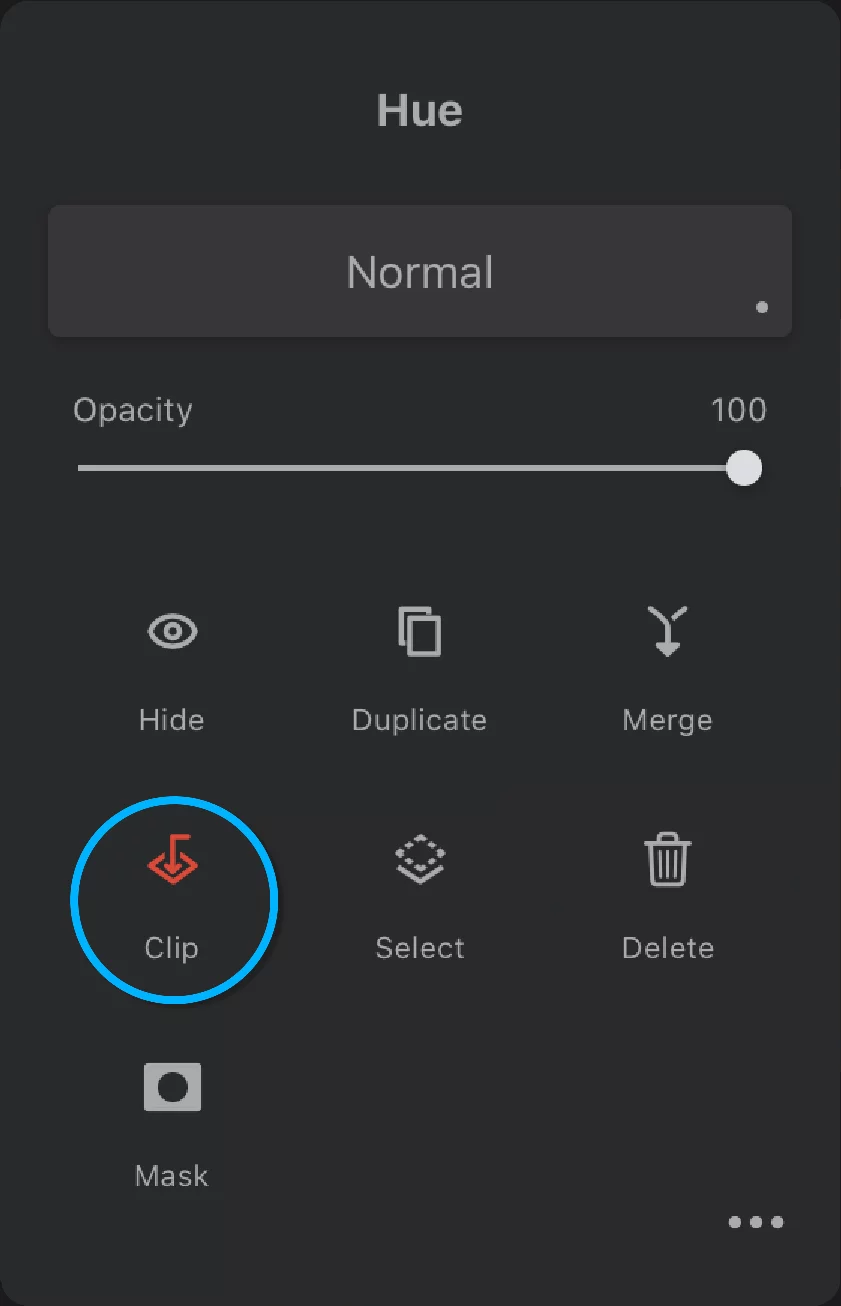
Clip the adjustment layer as a regular layer. Remember that the layer immediately below the current adjustment layer will become the mask.
With clipping:
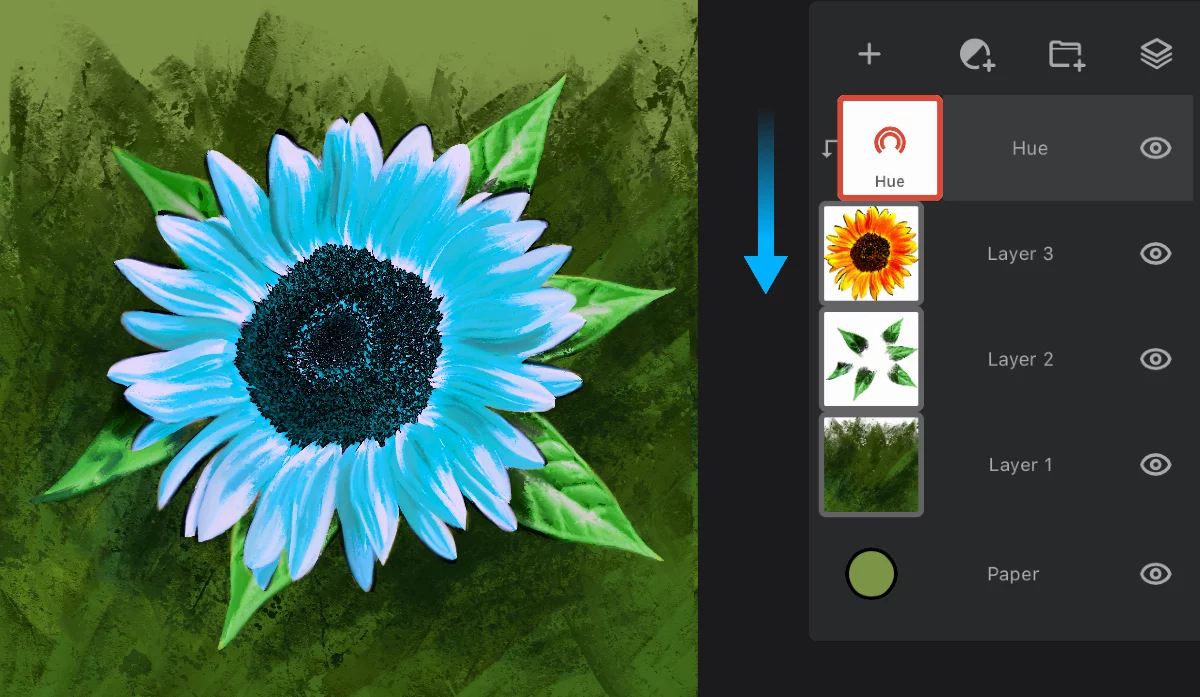
The adjustment layer now affects only the masking layer (”Layer 3”).
The masking layer.
You can mask multiple adjustment and filter layers with a single masking layer.
More about using adjustment layers: Special layers.
You cannot use an adjustment layer as a clipping mask. Adjustment layers do not contain pixels so they do not make good masks.