
This page refers to the illustrations used in the detailed reference for the color blending modesColor blending modeIn digital image editing and digital art, blending modes determine how the pixels of one layer interact with the pixels of underlying layers. These modes apply mathematical operations to color values, altering how the layers combine.
Not to be confused with the brush blend mode.Learn more. See the list of color blending modes.
Blending modes — definitions
To be used in the descriptions of the blending modes
The illustrations of the color blending modes in this documentation always depict two overlapping images:
the background layer: the landscape photo
the foreground layer (the blended layer) — the test sheet:
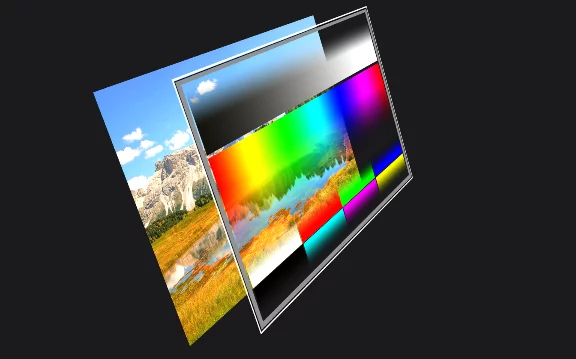
Blended layer
(here it is the test sheet) (the one to which the color blending is applied)
Underlying layer
Note that the test sheet used in the example illustrations has transparent areas.
The result (here showing the Normal blending mode)
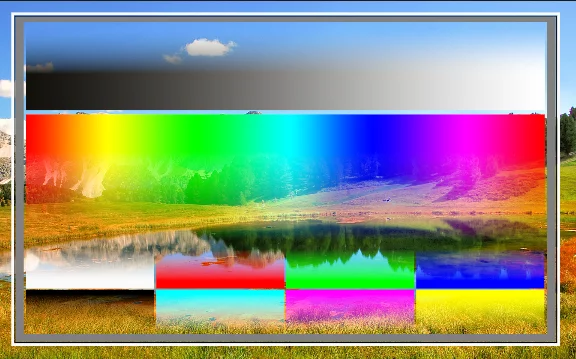
Note the semi-transparent areas in the tests sheet.
The test sheet used in the examples (the foreground layer)
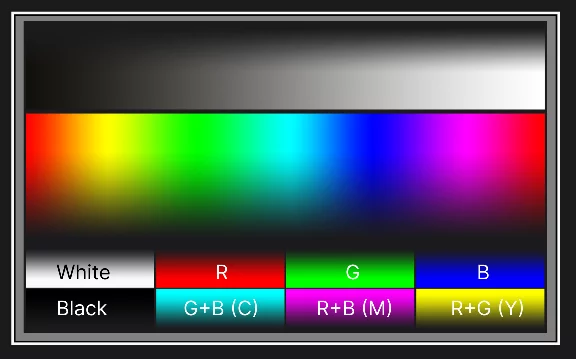
White and black frames
50% gray frame
Black-to-white gradient
Spectrum colors
Transparent areas
(Note that the transparent areas may not be clearly seen here)
The background image used in the examples
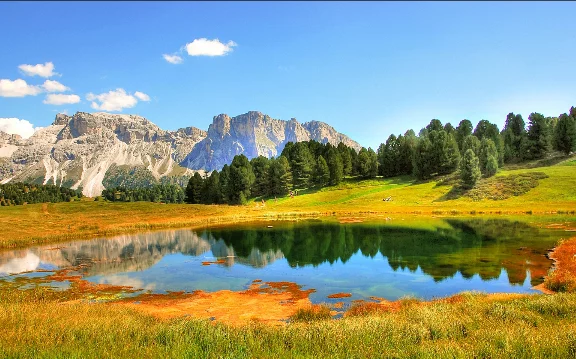
Image from Pixabay.com; author: kordi_vahle. Learn how to use Pixabay search in Infinite Painter in Pixabay image search.
The term “color blending mode” may also refer to the application of the color by a brush. In such a case, there is no “blended layer” of course; the 'blended color' is applied by the brush in real time.