
Brush Editor — Head tab
Controls of the brush head.

“Source” section
“Head” section
“Dynamics” section
“Jitter” (randomness) section
Head source section
Refers to the bitmap used as the brush head.
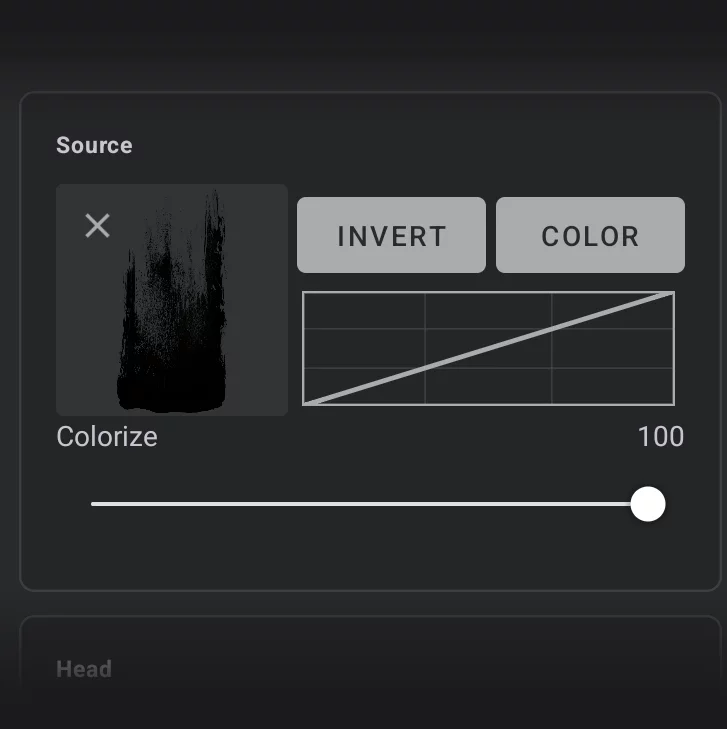
Thumbnail of the brush head
(Tap to select another bitmap; + icon leads to import dialog. See Brush Texture selector).
This field may be empty for special brushes that do not use bitmap head or use a default round tip. Note that applying tip bitmap to certain special brushes will not change their appearance.

icon
Removes the head bitmap from the brush. The actual bitmap remains in the library.
Color
— for the source bitmap — if on, uses full RGB (RGBA) data from the source bitmap; allows for full color brush heads and textures. Note that the source bitmap color interacts with the current color used for painting and may be affected by the color blending modes and other settings. Color information is also ignored when the brush is used in Blend, Erase or Clone modes.
Invert (switch)
— uses the negative of the bitmap.
You may need this option if your custom brush head bitmap is black-on-white-background, or black on-transparent. Note that the default brush head bitmaps (those that come with the application) do not require being inverted, even if they appear as black-on-transparent bitmaps.
Tonal curve
for the source bitmap — affects the way color luminance of the source bitmap is used in the brush. Allows for tonal adjustments without editing the source bitmap. Note that this curve is active regardless of the state of Color switch above it (works for grayscale as well).
Colorize
The amount of color to be used from the head bitmap (shows up only when Color option is active).
Head section
General controls of the brush head.
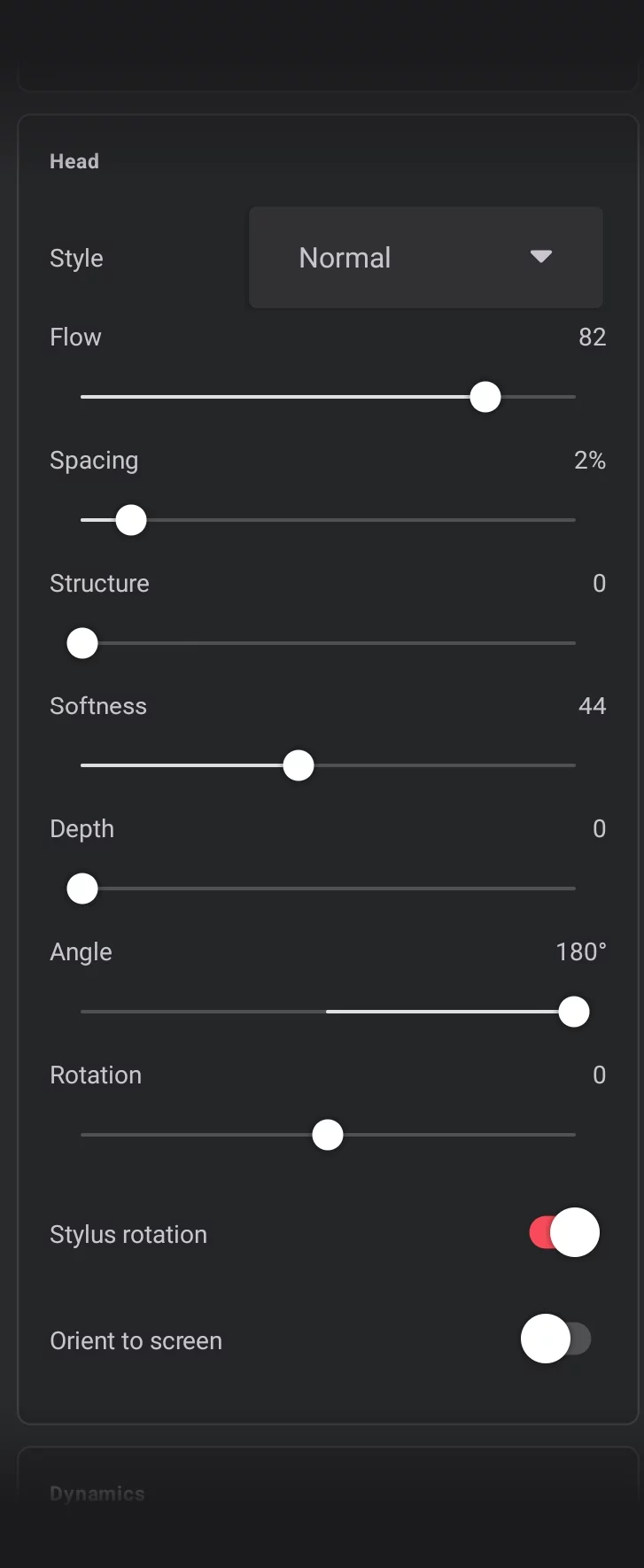
Brush head application style (selector):
Controls how the subsequent “stamps” of the brush head are interacting with each other along the stroke.
Flow
Controls the rate of flow of the “pigment” from the brush tip (also controllable from the main toolbar; may be affected by Dynamics controls).
Spacing (0–200%)
— controls the density of brush head “stamps” along the stroke; the unit is the width of the brush head bitmap.
Structure
Adds the impasto effect (simulated 3D relief); may affect the color of the strokes.
Softness
Zero value means hard edge of the brush tip, higher values soften it.
(Note that the brush may have applied a soft-edged bitmap for its tip so zero softness may still produce soft strokes).
(Also controllable from the main toolbar.)
Depth
Interprets the brush head’s transparency as a three-dimensional height map. This is great for bristle-style brushes where little pressure has only a few bristles touching the canvas and heavy pressure has all of the bristles touching the canvas. Note that at 100%, the Depth parameter may prevent the brush from applying color at all.
Angle 0–360°
— basic angle of the tip bitmap relative to the stroke direction (also controlled from the main toolbar). Default value: 0°
Rotation
Angle of the brush head relative to the direction of the stroke
(–100 = Reverse, 0 = Fixed, 100 = Tangent)
Stylus rotation
When a tilt-sensitive stylus is used, stylus angle is used to control the brush head angle. In finger painting, the brush head angle along the stroke is defined by the beginning of the stroke.
Orient to screen
If active, the initial angle of the brush head is kept relative to the screen, not to the canvas.
Dynamics section
This section binds the behavior of the brush to dynamic controls like pressure on the stylus tip, the speed of the stroke or tilt (angle) of the stylus.
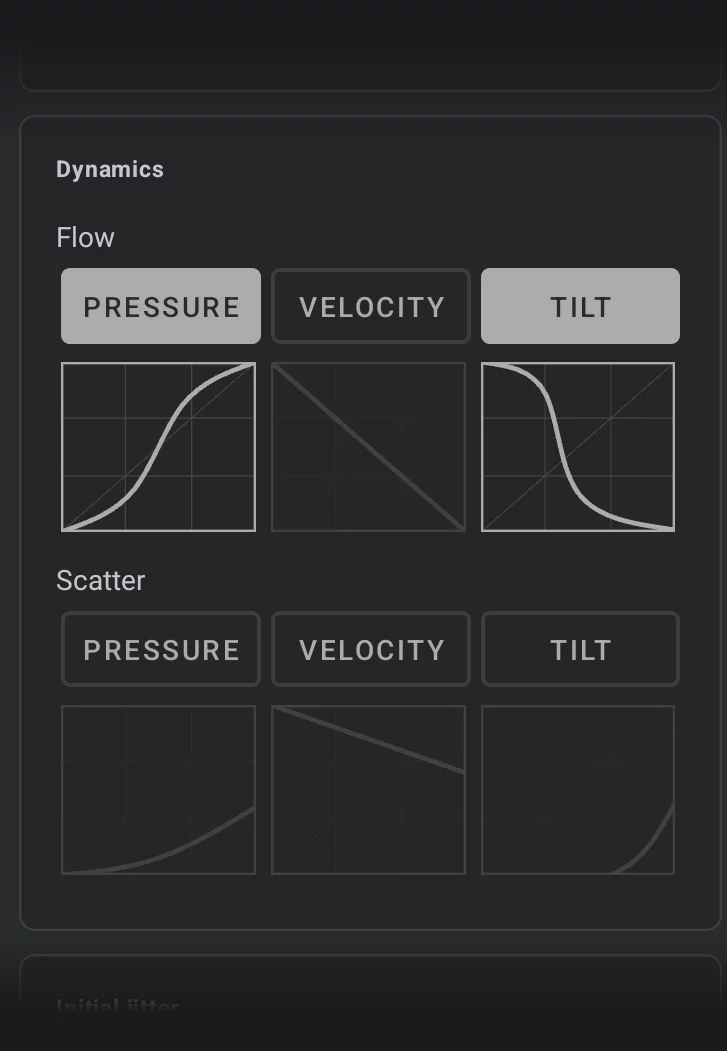
Flow dynamic controls
(They modify the Flow parameter set in the Head section)
Scatter dynamic controls
(They add randomness to the brush head placement based on dynamic input)
Jitter section
Adds randomness to the brush behavior.
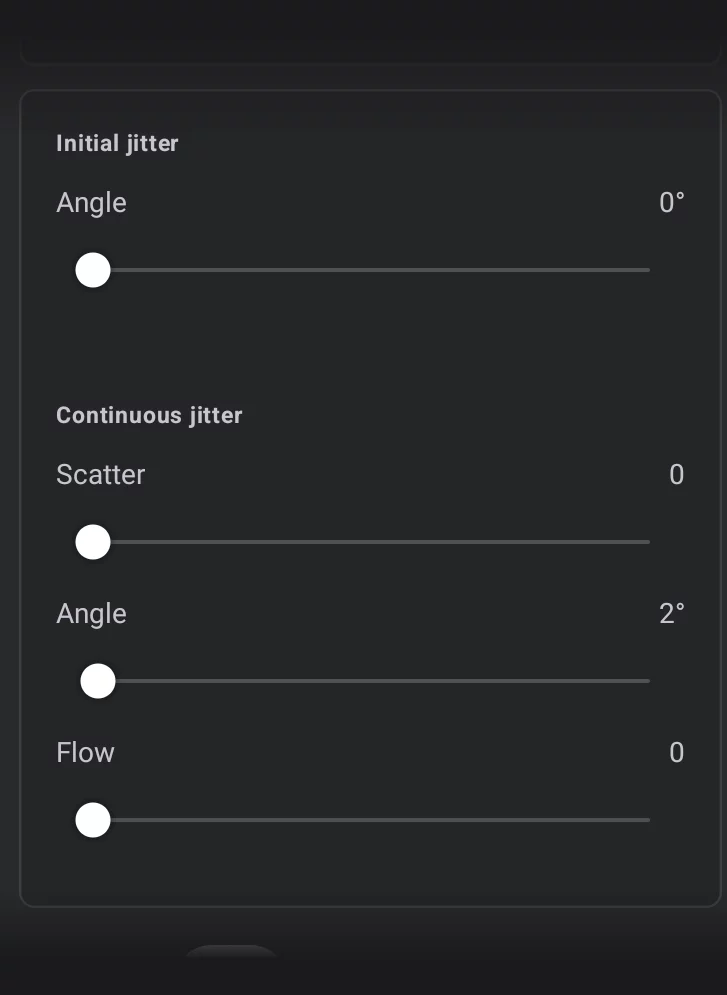
Initial jitter
Adds randomness at the beginning of the stroke.
Angle
Randomly sets the initial angle of the brush head for each stroke (within the range set with the slider).
Continuous jitter
Adds randomness along the stroke.
Scatter
Randomly varies the brush head position at each point of the stroke.
Angle
Rotates the brush head randomly within set limit.
Flow
Randomly varies the flow of the brush along the stroke.