
You can precisely adjust the color with sliders in four color models:
Color panel, color sliders tab
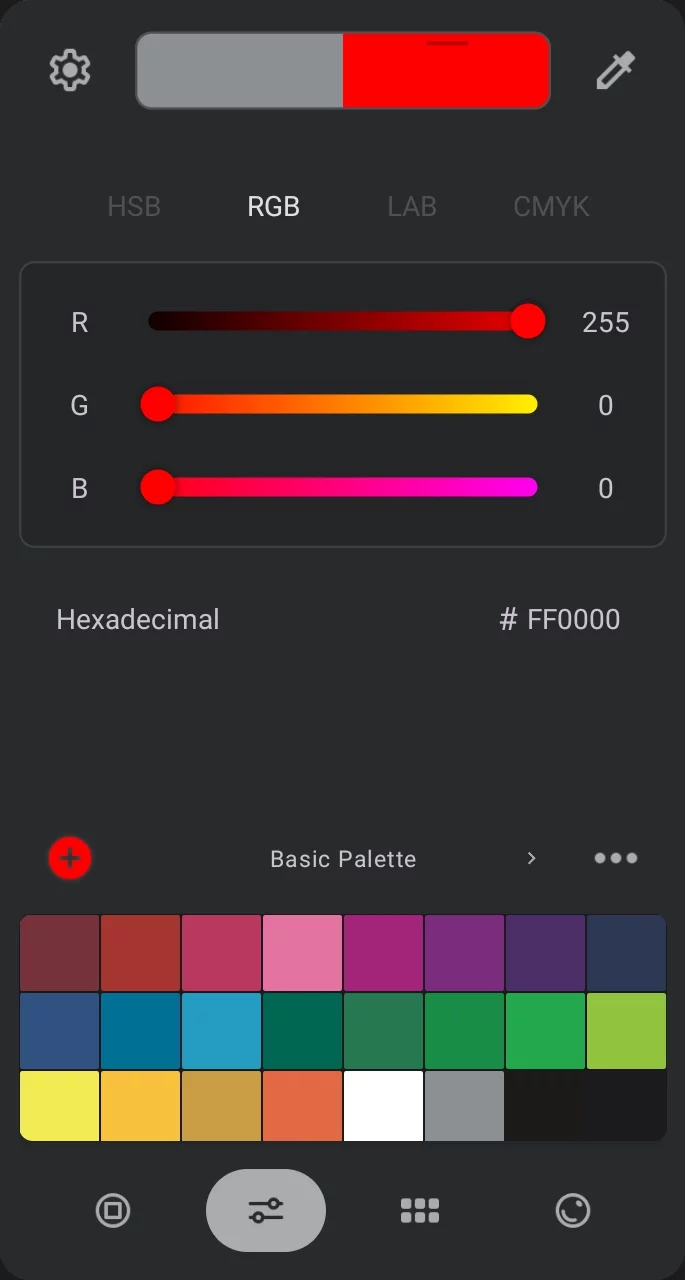
Color model selector
HSB, RGB, LAB and CMYK
Sliders of the selected color model.
Using the sliders

Parameter symbol
(here “G” = RGB color spaceRGB color spaceAn additive color model defined by mixing three primary colors: Red, Green and Blue.Learn more: Green)
Drag the handle
to adjust the parameter.
Slider line color
Dynamically shows possible colors for that slider.
For example to get a yellow color, move the G slider to the right.
To set a precise value
tap on left or right end of the slider.
Numerical value of the parameter
Tap on the number to enter the value numerically.
HSB/HSV model sliders
The same as in the color wheel.
H = Hue
S = Saturation
B = Brightness
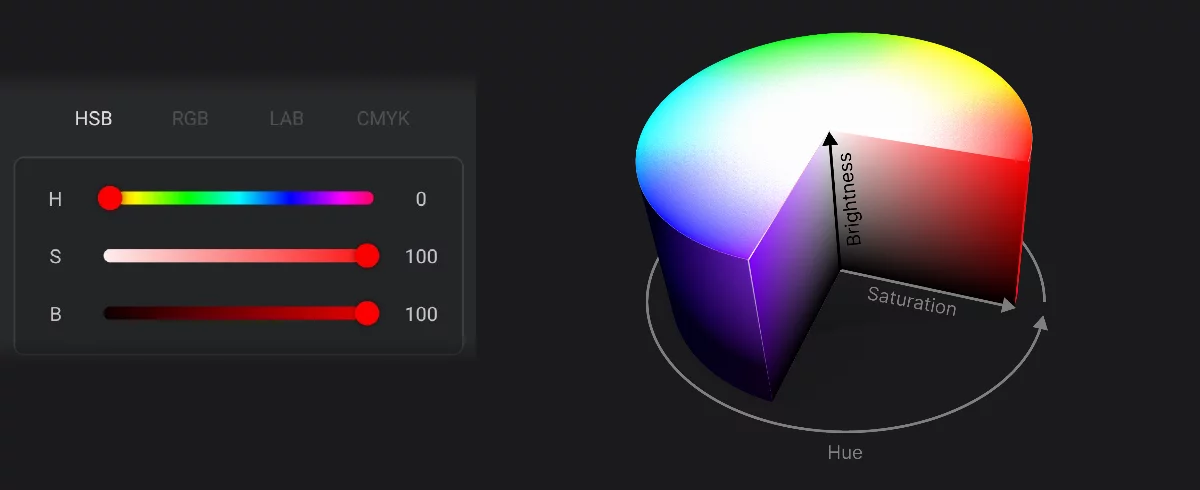
Hue (0–360)
Saturation (0–100)
Brightness (0–100)
RGB color sliders
The true color values.
R = Red
G = Green
B = Blue
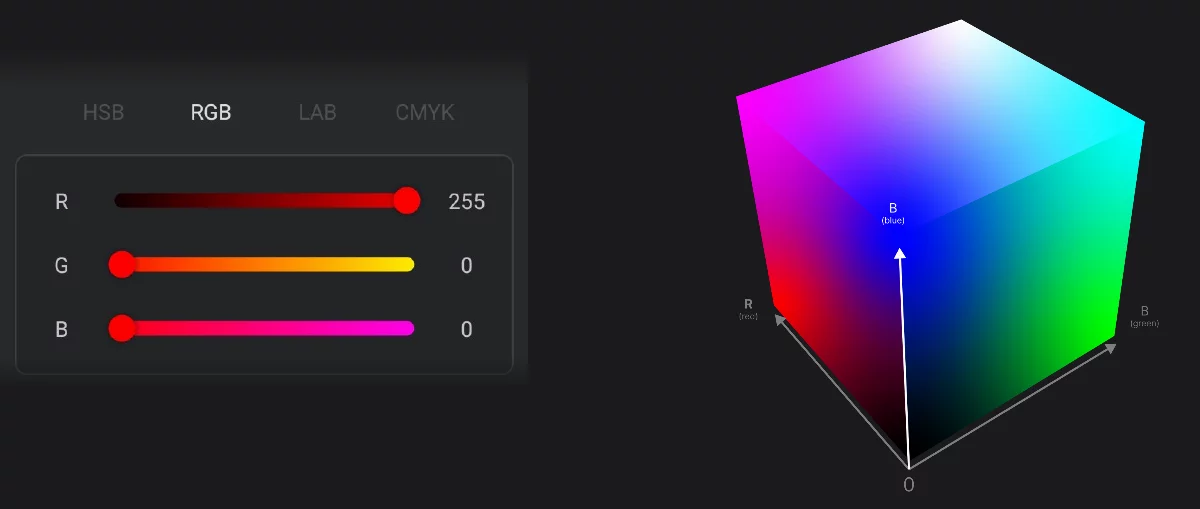
Red (0–255)
Green (0–255)
Blue (0–255)
LAB color sliders
The absolute color.
L (L*) = luminance (black-to-white)
A (a*) = green-to-red component
B (b*) = blue-to-yellow component
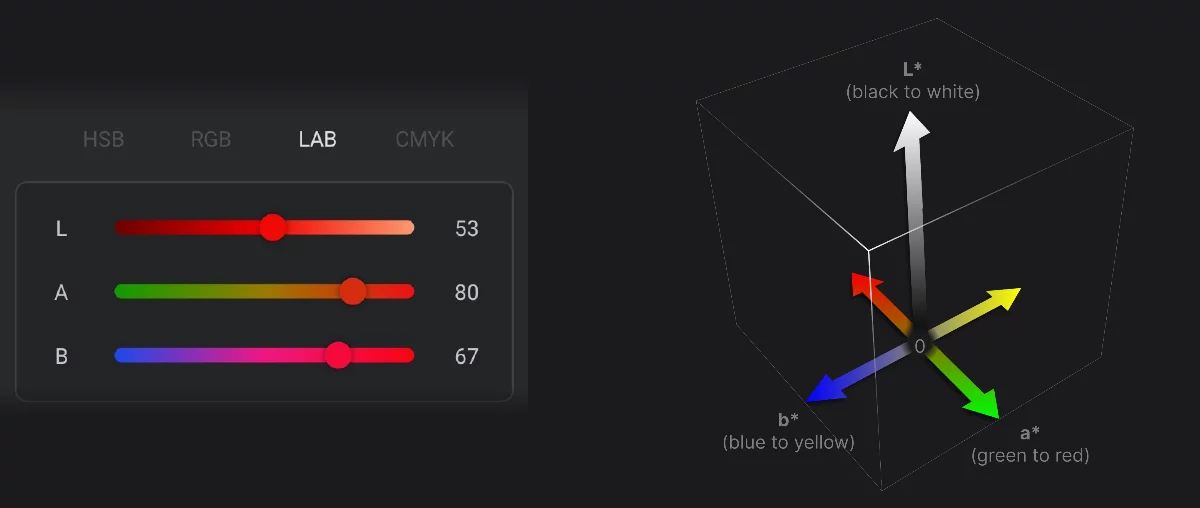
L (luminance, “black-to-white”) (0–100)
A (”green-to-red”) (–128 to +127)
B (”blue-to-yellow”) (–128 to +127)
LAB color model
Learn more about the Lab color space in Lab color space.
Note that the terms “red” and “yellow” used here are not precise and they do not correspond with the primary colors in RGB color spaceRGB color spaceAn additive color model defined by mixing three primary colors: Red, Green and Blue.Learn more and CMYKCMYKIn digital art and printing, CMYK is a color space based on four inks: Cyan, Magenta, Yellow, and Key (Black). It’s primarily used for color printing, where colors are created by subtracting light from white paper. Unlike RGB (used for screens), CMYK is a subtractive color model, and its color range is more limited than RGB.
Learn more color models.
You can use the LAB sliders to precisely adjust the color, as they are actually quite intuitive dimensions (despite the technical naming of the components):
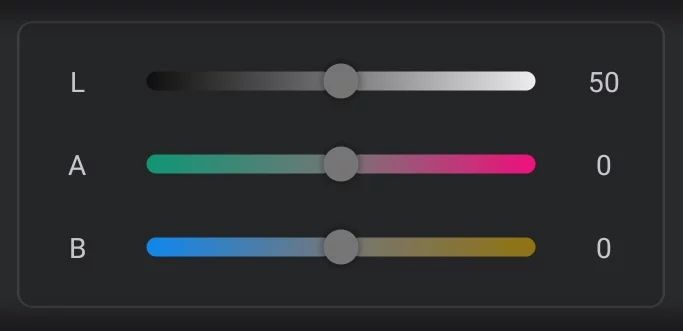
Color lightness
(”black-to-white”)
Color tint
(”green-to-red”)
Color temperature
(”blue-to-yellow”)
The terms “tint” and “temperature” are color dimensions commonly used in digital photography and image editing.
CMYK color sliders
Printing colors.
CMYK color space is used in commercial printing
C = cyan
M = magenta
Y = yellow
K = blacK
Note that Infinite Painter does not support CMYK-encoded images; CMYK colors are always translated to RGB color spaceRGB color spaceAn additive color model defined by mixing three primary colors: Red, Green and Blue.Learn more.
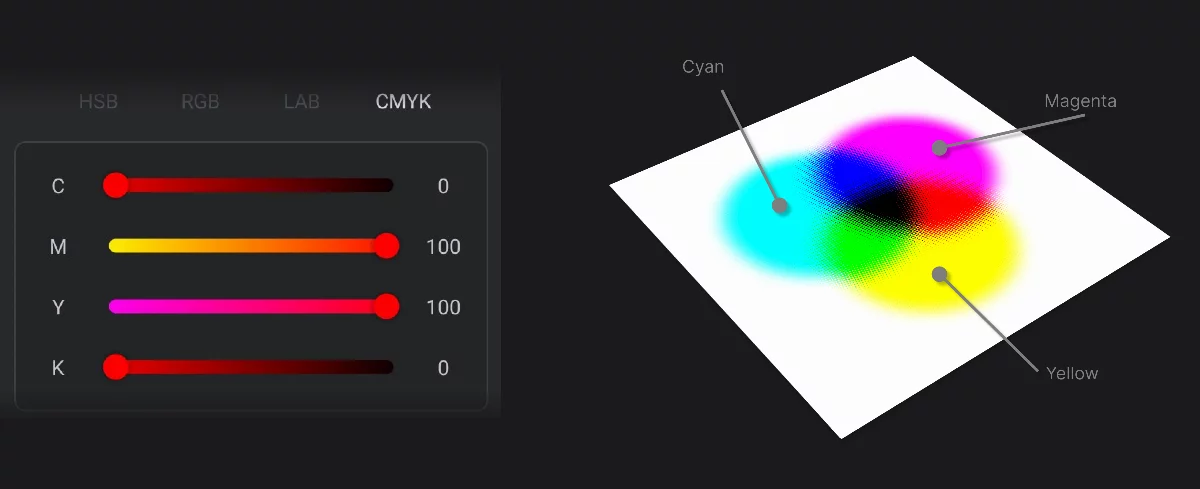
Cyan (0–100)
Magenta (0–100)
Yellow (0–100)
blacK (0–100)
Black ink in CMYK printing is used (mainly) to enhance the darkest areas of the picture.
Note that in the model implemented in Infinite Painter, the Black (K) component does not deepen the CMY black:
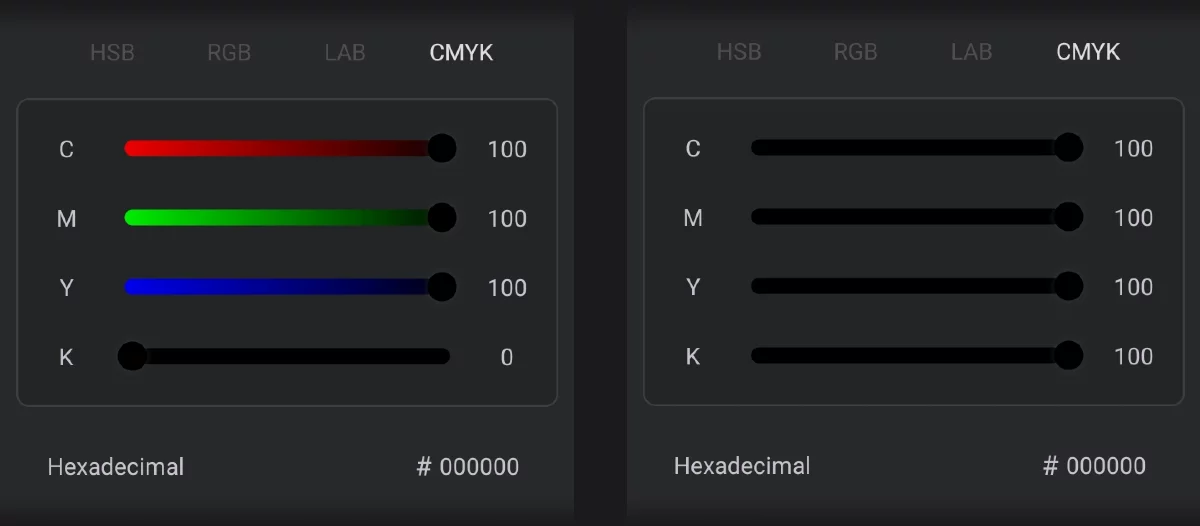
RGB black (R0G0B0)
Still the same RGB black (R0G0B0)
Remember that all the color models in fact define (yield) RGB colors.
They are there only to make the process of color selection easier.
Note that all input methods in color panels are synchronized. All affect the same main color sample.
Hexadecimal color coding
Not only for the Web.
Hexadecimal color encoding is widely used in web design but also is a convenient method of copying colors between applications.
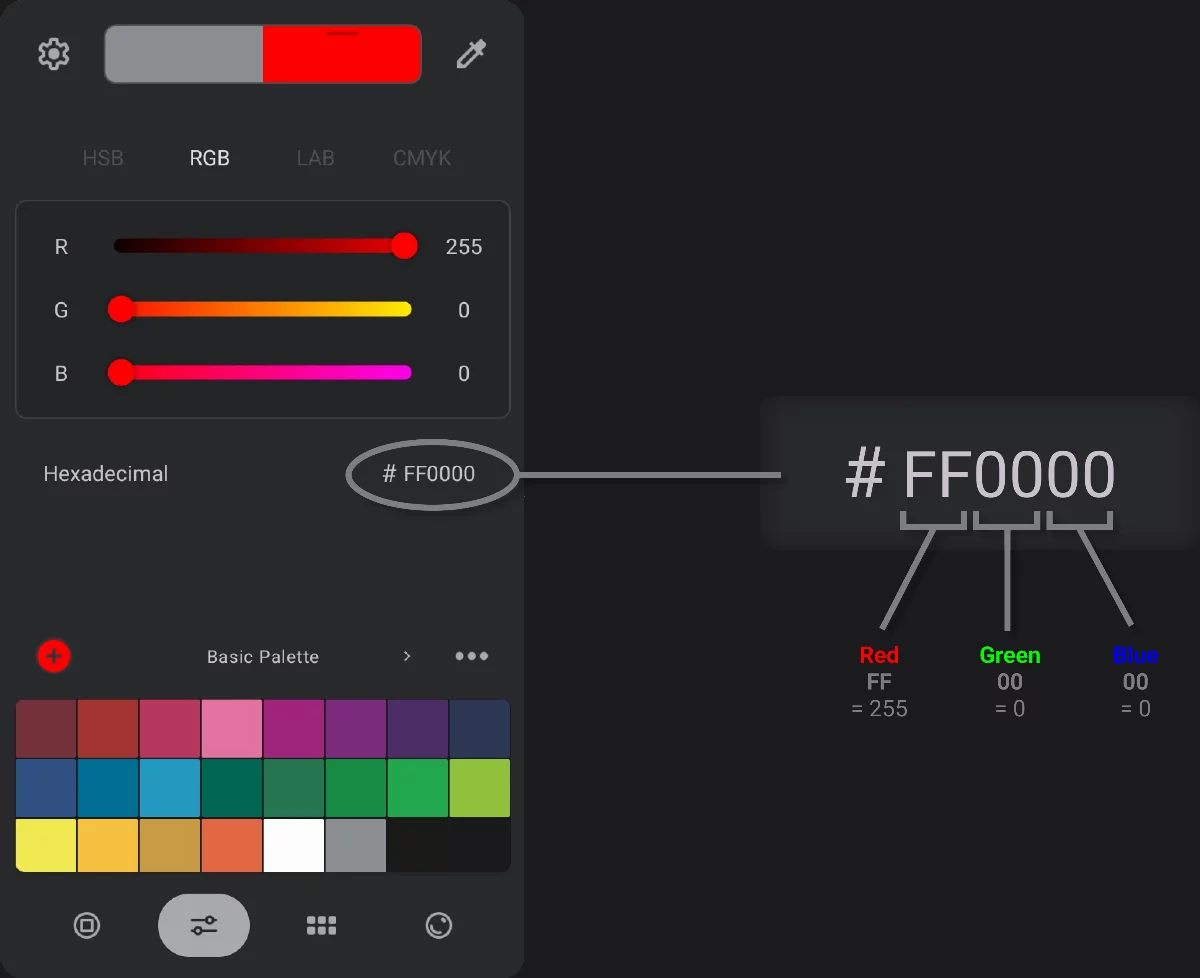
Hex color description is just RGB color but in hexadecimal format:
Each channel is described with a two-digit hex number, from 00 (zero) to FF (255)
Tap the hex number field to edit the value.
You can copy the hex number of the current color from the numerical field, or type in your own values. Of course you can also paste a number copied from a third-party application.
In web design you may encounter the shorthand hexadecimal color format which uses only three digits. Use either format in Infinite Painter: #F00 = #FF0000.
You can paste the hex code to the input field with the leading hash sign (#) or without it.