
Brush organization
Use custom folders to organize your brushes.
Create custom folders, drag brushes between folders, rename them, hide and un-hide if you wish to. No restrictions. You are the boss.
You can rename and reorganize default brushes and folders too.
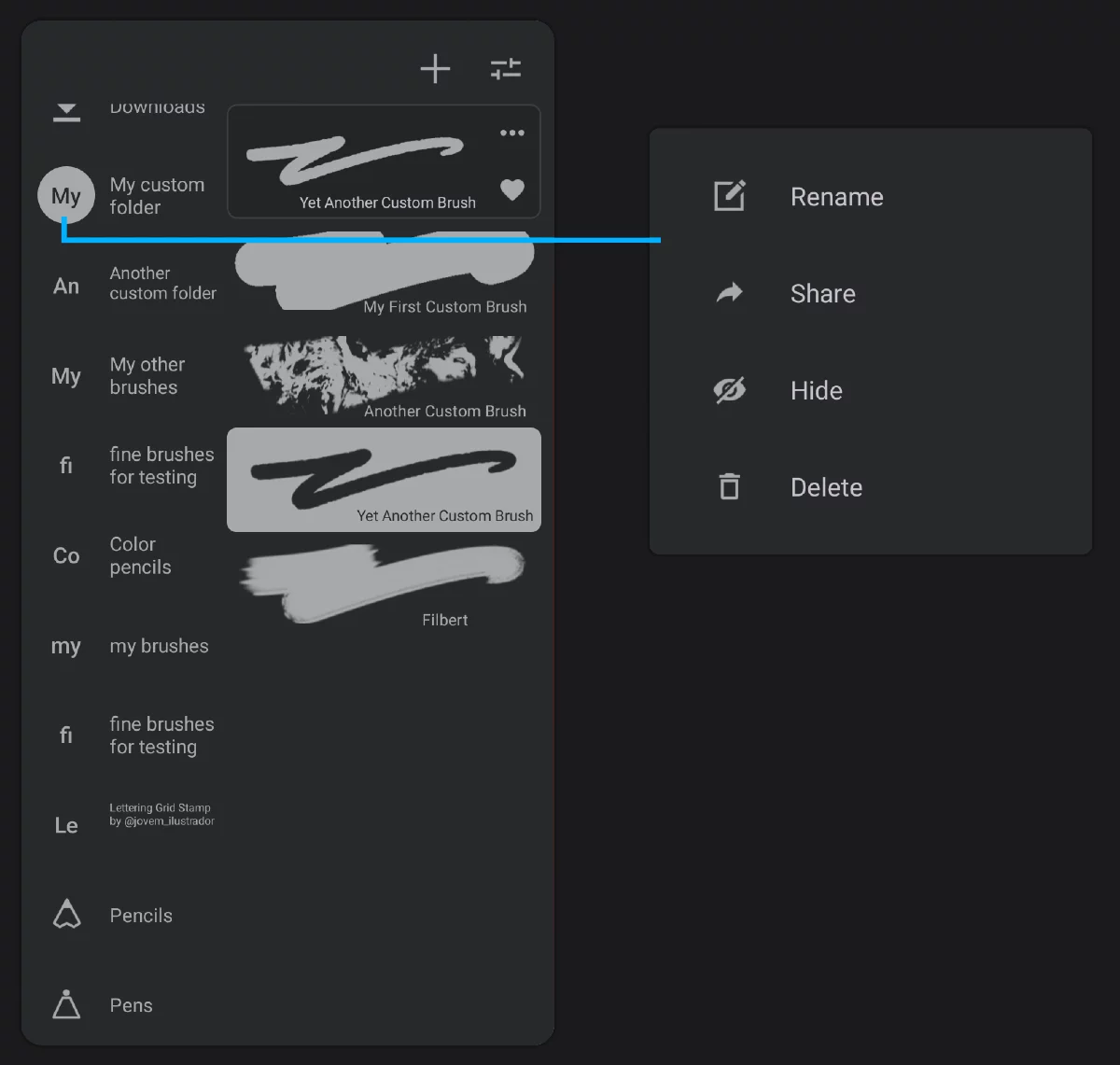
Custom folders (examples)
Currently open custom folder.
Long-press to open the folder options popup.
Folder options popup.
For the built-in folders the “Delete” command will not show up.

Rename any brush folder. Any.

Share the entire folder as a brush set.

Hide a folder if it is not necessary at the moment.
An icon will appear at the top of the panel to allow you to un-hide the hidden folders.

Delete an unnecessary folder.
This is irreversible. Brushes from the deleted folder return to their original containers. See Brush life cycle.
you can use any Unicode character in the folder name, including all Unicode icons. Start the new name with an icon if you want your folder to have a custom icon.
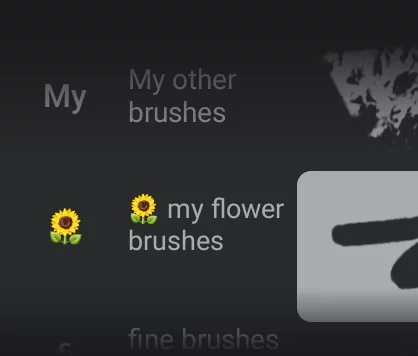
Note that the name of the folder will be used as the name of a brush pack if you ever decide to share (export) this folder. This name will be permanent after export.
You can drag your brushes between folders freely.
Just long-press on a brush thumbnail and drag it onto the folder icon.
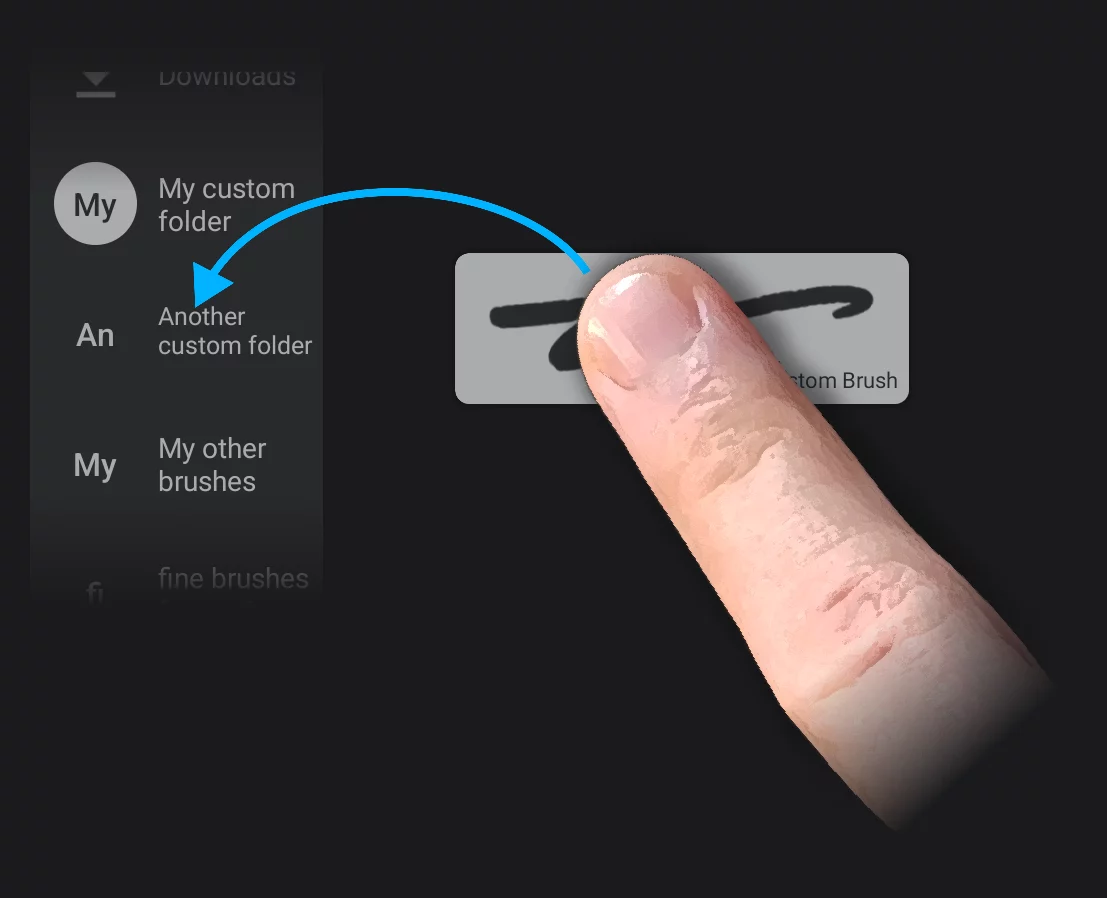
With these tools you can create a separate brush set for any project.
Brush life cycle
It depends on the brush origin.
In case of the brushes created within Infinite Painter:
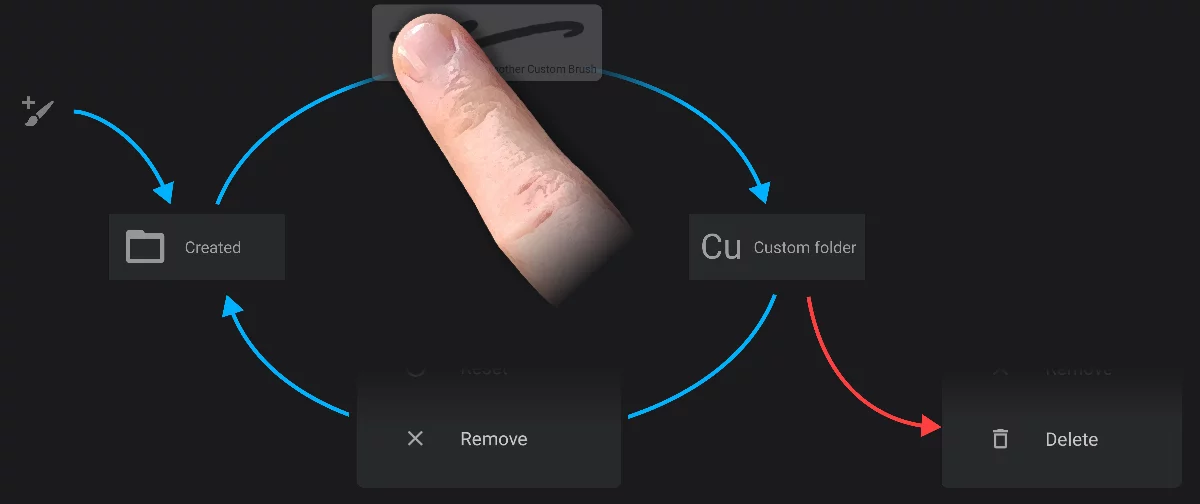
Newly created brush lands in the "Created" folder.
The “Created” folder.
You can drag your brush to any folder (including the built-in folders).
(A custom folder)

"Remove" command returns the brush to the "Created” folder.

“Delete" command deletes the brush permanently.
In case of the brushes downloaded from the Community or imported as .prbr files:
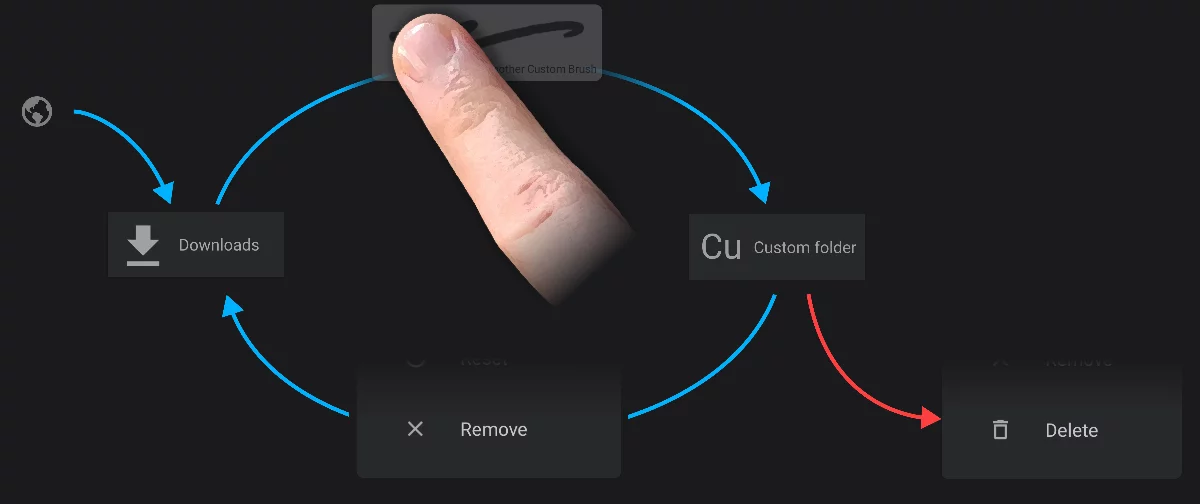
A downloaded (or imported) brush lands in the "Downloads" folder.
The “Downloads” folder
You can drag your brush to any folder.
(A custom folder)
"Remove" command returns the brush to the "Downloads” folder.
“Delete" command deletes the brush permanently.
Brush packs imported as .przp files appear as separate custom folders.
The default (built-in) brushes return to their original folders on Remove command.