
Warp transformation mode
Warp and twist.
Warp lets you deform objects with the spline mesh without losing quality of details.

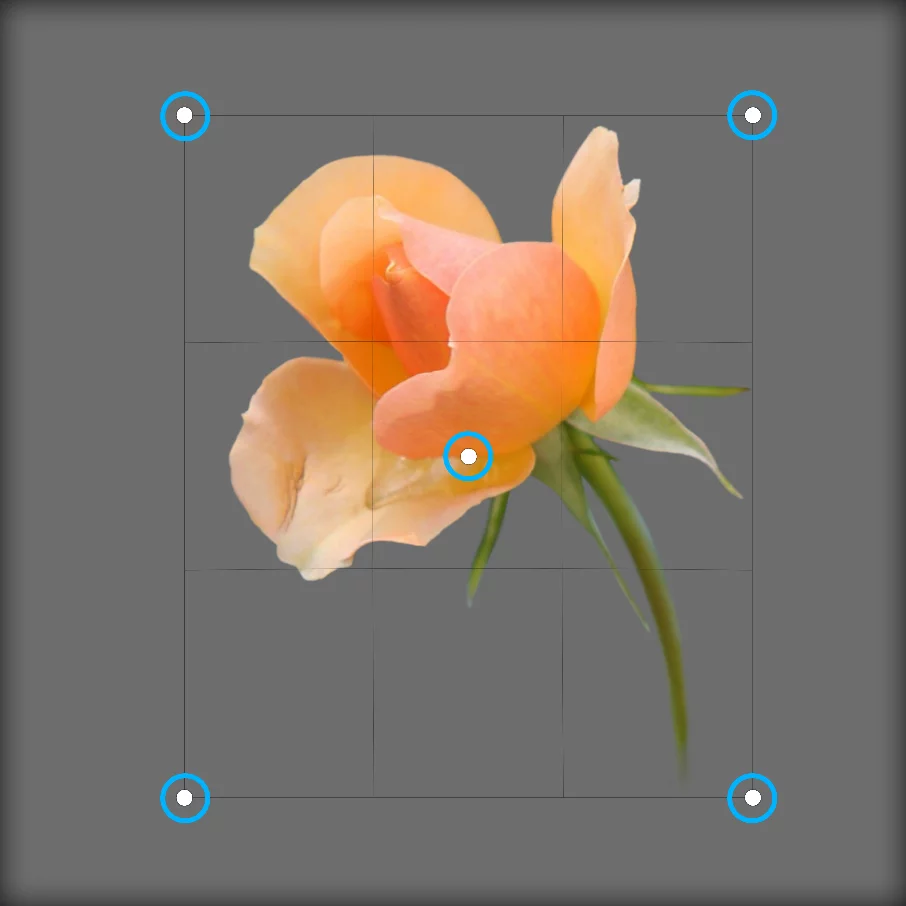
Deformation handles.
3 x 3 control grid.
Actually, you can drag by any point within the control grid.
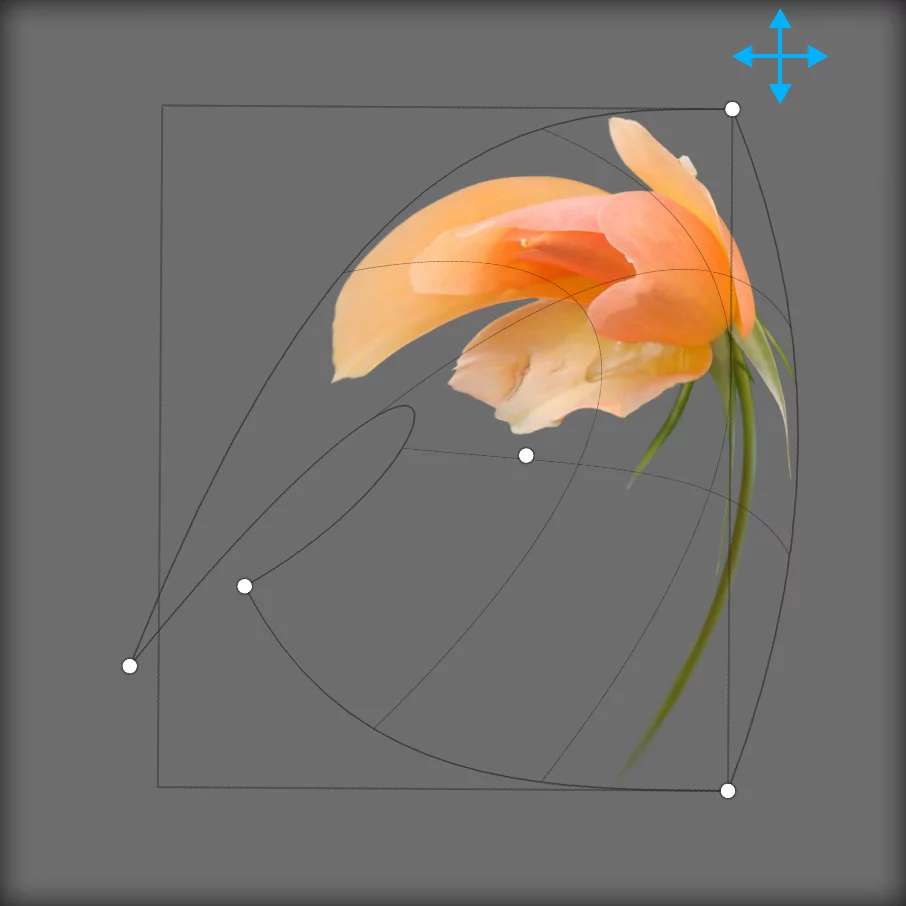
Deformation grid indicate the geometric distortion.
Drag the five control handles and the edge lines to deform the object
Each side of the cage is a Bezier curveBezier curveA Bézier curve is a smooth, flexible curve used in digital graphics to create shapes, paths, and control curves. It is defined by a few key points, called control points or nodes, which you can adjust to change the shape of the curve. It is like a virtual rubber band that you can pull and twist by moving these control points to get the desired shape for your design.
In fact, Bézier paths may consist of multiple segments, also with sharp corners between them. A straight line is a special case of a Bézier segment.Learn more segment.

Warp transformation in Infinite Painter works almost exactly like the Warp transformation in Photoshop™ with exception that the Bézier handles on edges are invisible.