
Keyboard shortcuts
On this page
Overview
Sometimes they are useful also on a mobile device.
Many functions in Infinite Painter may be started with pressing key combinations on a physical keyboard.
Note that the keyboard shortcuts work only with a physical keyboard attached to your tablet or smartphone, not on the screen keyboard. The keyboard may be either a dedicated keyboard or a third party keyboard connected with a cable or via Bluetooth.
Press and hold the Ctrl (control) key to display the list of shortcuts at any time.
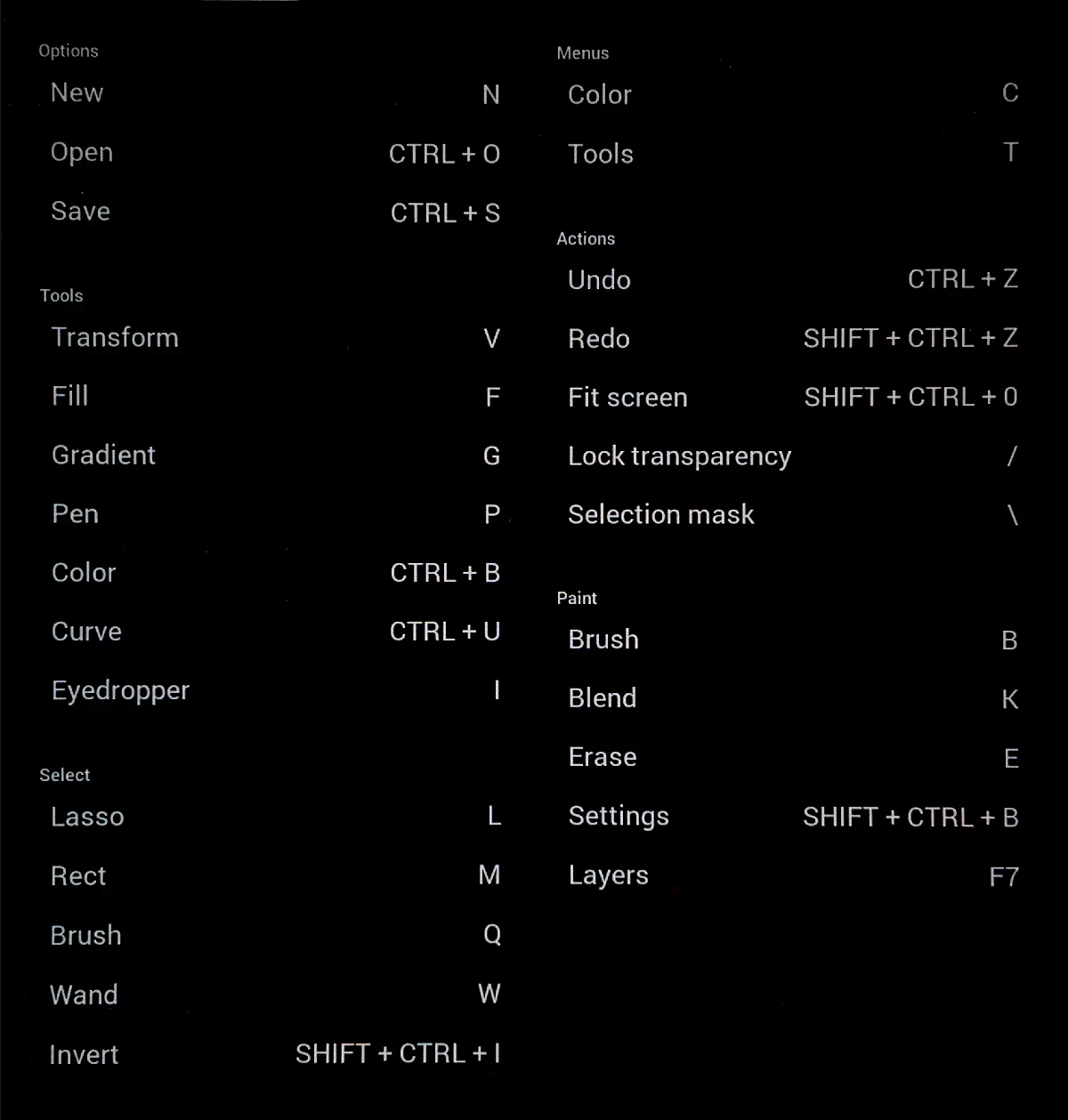
List of keyboard shortcuts
Mostly like in Photoshop.
| Category | Action | Shortcut |
|---|---|---|
| Options | New | N |
| Options | Open | Ctrl+O |
| Options | Save | Ctrl+S |
| Paint | Brush (Paint mode) | B |
| Paint | Blend | K |
| Paint | Erase | E |
| Paint | Eyedropper | I |
| Paint | Brush size increase | ] |
| Paint | Brush size decrease | [ |
| Paint | Layers | F7 |
| Menus | Tools | T |
| Menus | Brush editor | Shift+Ctrl+B |
| Menus | Color panel | C |
| Tools | Transform | V |
| Tools | Solid Fill | F |
| Tools | Gradient Fill | G |
| Tools | Path | P |
| Tools | Color adjustments | Ctrl+B |
| Tools | Tonal Curve | Ctrl+U |
| Actions | Undo | Ctrl+Z |
| Actions | Redo | Shift+Ctrl+Z |
| Actions | Flip canvas | H |
| Actions | Fit screen | Shift+Ctrl+O |
| Actions | Lock transparency | / (slash) |
| Actions | Selection mask on/off | \ (backslash) |
| Select | Lasso | L |
| Select | Rectangle | M |
| Select | Brush | Q |
| Select | Wand | W |
| Select | Invert Selection | Shift+Ctrl+I |
| Select | Clear Selection | Ctrl+D |
Ctrl = control